Vision Models#
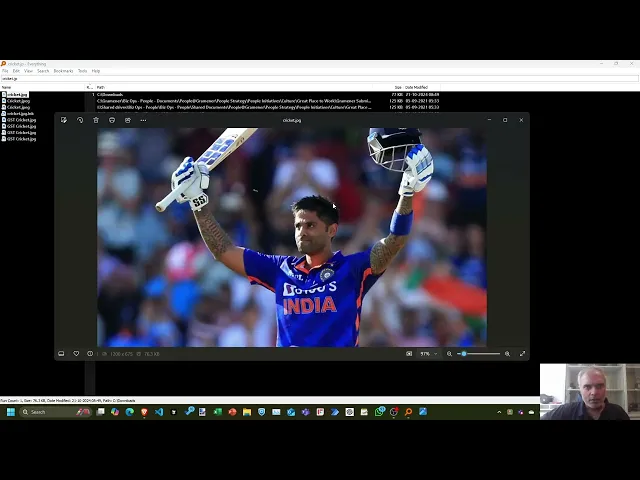
You’ll learn how to use LLMs to interpret images and extract useful information, covering:
- Setting Up Vision Models: Integrate vision capabilities with LLMs using APIs like OpenAI’s Chat Completion.
- Sending Image URLs for Analysis: Pass URLs or base64-encoded images to LLMs for processing.
- Reading Image Responses: Get detailed textual descriptions of images, from scenic landscapes to specific objects like cricketers or bank statements.
- Extracting Data from Images: Convert extracted image data to various formats like Markdown tables or JSON arrays.
- Handling Model Hallucinations: Address inaccuracies in extraction results, understanding how different prompts can affect output quality.
- Cost Management for Vision Models: Adjust detail settings (e.g., “detail: low”) to balance cost and output precision.
Here are the links used in the video:
Here is an example of how to analyze an image using the OpenAI API.
curl https://api.openai.com/v1/chat/completions \
  -H "Content-Type: application/json" \
  -H "Authorization: Bearer $OPENAI_API_KEY" \
  -d '{
    "model": "gpt-4o-mini",
    "messages": [
      {
        "role": "user",
        "content": [
          {"type": "text", "text": "What is in this image?"},
          {
            "type": "image_url",
            "image_url": {
              "url": "https://upload.wikimedia.org/wikipedia/commons/3/34/Correlation_coefficient.png",
              "detail": "low"
            }
          }
        ]
      }
    ]
  }'
Let’s break down the request:
curl https://api.openai.com/v1/chat/completions: The API endpoint for text generation.-H "Content-Type: application/json": The content type of the request.-H "Authorization: Bearer $OPENAI_API_KEY": The API key for authentication.-d: The request body."model": "gpt-4o-mini": The model to use for text generation."messages":: The messages to send to the model."role": "user": The role of the message."content":: The content of the message.{"type": "text", "text": "What is in this image?"}: The text message.{"type": "image_url"}: The image message."detail": "low": The detail level of the image.lowuses fewer tokens at lower detail.highuses more tokens for higher detail."image_url": {"url": "https://upload.wikimedia.org/wikipedia/commons/3/34/Correlation_coefficient.png"}: The URL of the image.
You can send images in a base64 encoded format, too. For example:
# Download image and convert to base64 in one step
IMAGE_BASE64=$(curl -s "https://upload.wikimedia.org/wikipedia/commons/3/34/Correlation_coefficient.png" | base64 -w 0)

# Send to OpenAI API
curl https://api.openai.com/v1/chat/completions \
  -H "Content-Type: application/json" \
  -H "Authorization: Bearer $OPENAI_API_KEY" \
  -d @- << EOF
{
  "model": "gpt-4o-mini",
  "messages": [
    {
      "role": "user",
      "content": [
        {"type": "text", "text": "What is in this image?"},
        {
          "type": "image_url",
          "image_url": { "url": "data:image/png;base64,$IMAGE_BASE64" }
        }
      ]
    }
  ]
}
EOF