LLM Agents: Building AI Systems That Can Think and Act#
LLM Agents are AI systems that can define and execute their own workflows to accomplish tasks. Unlike simple prompt-response patterns, agents make multiple LLM calls, use tools, and adapt their approach based on intermediate results. They represent a significant step toward more autonomous AI systems.
What Makes an Agent?#
An LLM agent consists of three core components:
- LLM Brain: Makes decisions about what to do next
- Tools: External capabilities the agent can use (e.g., web search, code execution)
- Memory: Retains context across multiple steps
Agents operate through a loop:
- Observe the environment
- Think about what to do
- Take action using tools
- Observe results
- Repeat until task completion
Command-Line Agent Example#
We’ve created a minimal command-line agent called llm-cmd-agent.py that:
- Takes a task description from the command line
- Generates code to accomplish the task
- Automatically extracts and executes the code
- Passes the results back to the LLM
- Provides a final answer or tries again if the execution fails
Here’s how it works:
uv run llm-cmd-agent.py "list all Python files under the current directory, recursively, by size"
uv run llm-cmd-agent.py "convert the largest Markdown file to HTML"
The agent will:
- Generate a shell script to list files with their sizes
- Execute the script in a subprocess
- Capture the output (stdout and stderr)
- Pass the output back to the LLM for interpretation
- Present a final answer to the user
Under the hood, the agent follows this workflow:
- Initial prompt to generate a shell script
- Code extraction from the LLM response
- Code execution in a subprocess
- Result interpretation by the LLM
- Error handling and retry logic if needed
This demonstrates the core agent loop of:
- Planning (generating code)
- Execution (running the code)
- Reflection (interpreting results)
- Adaptation (fixing errors if needed)
Agent Architectures#
Different agent architectures exist for different use cases:
- ReAct (Reasoning + Acting): Interleaves reasoning steps with actions
- Reflexion: Adds self-reflection to improve reasoning
- MRKL (Modular Reasoning, Knowledge and Language): Combines neural and symbolic modules
- Plan-and-Execute: Creates a plan first, then executes steps
Real-World Applications#
LLM agents can be applied to various domains:
- Research assistants that search, summarize, and synthesize information
- Coding assistants that write, debug, and explain code
- Data analysis agents that clean, visualize, and interpret data
- Customer service agents that handle queries and perform actions
- Personal assistants that manage schedules, emails, and tasks
Project Ideas#
Here are some practical agent projects you could build:
- Study buddy agent: Helps create flashcards, generates practice questions, and explains concepts
- Job application assistant: Searches job listings, tailors resumes, and prepares interview responses
- Personal finance agent: Categorizes expenses, suggests budgets, and identifies savings opportunities
- Health and fitness coach: Creates workout plans, tracks nutrition, and provides motivation
- Course project helper: Breaks down assignments, suggests resources, and reviews work
Best Practices#
- Clear instructions: Define the agent’s capabilities and limitations
- Effective tool design: Create tools that are specific and reliable
- Robust error handling: Agents should recover gracefully from failures
- Memory management: Balance context retention with token efficiency
- User feedback: Allow users to correct or guide the agent
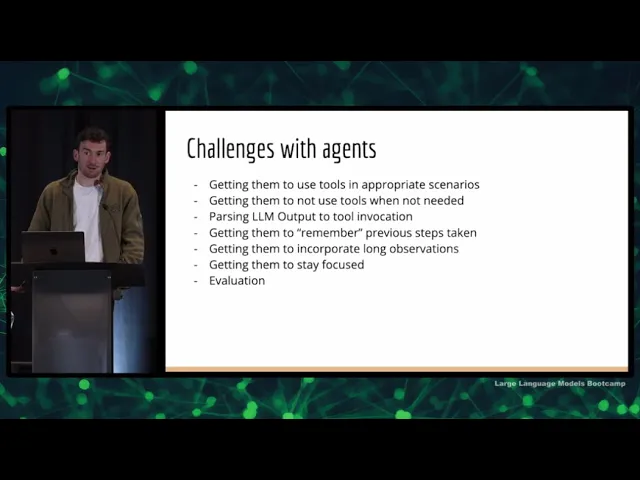
Limitations and Challenges#
Current LLM agents face several challenges:
- Hallucination: Agents may generate false information or tool calls
- Planning limitations: Complex tasks require better planning capabilities
- Tool integration complexity: Each new tool adds implementation overhead
- Context window constraints: Limited memory for long-running tasks
- Security concerns: Tool access requires careful permission management