AI Coding Tools#
AI coding agents perform best when you stage a predictable toolbox around them. The goal is not to spray every binary into the sandbox, but to focus on fast, auditable utilities that agents can compose for data prep, testing, review, and automation. Keep the happy path linear: expose tools, document how to call them, and wire safe defaults before inviting an agent into the repo.
In this module, you’ll learn:
- Agent surfaces: Where to document available tools (AGENTS.md, CLAUDE.md, custom instructions)
- Safeguards: Least-privilege scopes, approvals, and auditable shells
- Data + storage: JSON/YAML/CSV wranglers and embedded databases for evals
- Python feedback loop: Environment hygiene, lint/test/type tooling
- Automation reach: GitHub, comms, web, cloud, multi-agent, and ingestion helpers
Agent configuration surfaces#
Spell out available tooling where agents read first:
AGENTS.md,CLAUDE.md, custom instructions: Document approved commands, required flags, and escalation policies. Keep the happy path obvious (“Useuv run ruff checkbefore proposing fixes”).- Per-agent config: For Codex/Gemini/Claude, pair repo instructions with personal custom instructions so agents know global conventions (e.g., “Call
gh run watchto follow workflows”). - Promptable snippets: Store reusable shell recipes in
prompts/or~/.codex/prompts/so agents can slot them into responses without re-deriving them.
Least-privilege automation#
Guardrails keep autonomous edits predictable:
- Per-tool scopes: Use Codex/Gemini approval modes (
/approvals,--allowed-tools) to restrict filesystem, network, and exec surfaces until trust is built. - Auditable shells: Route shell calls through wrappers like
bin/approved-ls(whitelisted flags) and capture transcripts inlogs/. MCP servers provide a structured way to do this. - Workflow rehearsals: Force
dry-runchecks (terraform plan,gh workflow run --dry-run) before greenlighting mutating commands. Agents should see the rehearsal command in instructions.
GitHub automation#
The gh CLI gives agents production-grade git reach:
# Stage a release branch and push with review requests
gh pr create --base main --fill --reviewer "@team/reviewers"

gh workflow run ci.yml --ref feature/agent-generated

# Inspect checks before merging
gh pr checks --watch
Encourage agents to:
- Use
gh issue status,gh pr view --web, andgh run watchto gather context instead of scraping raw HTML. - Call
gh api repos/:owner/:repo/commits --paginatefor structured history when diff context is too large for a prompt.
Communication hooks#
Keep human-in-the-loop chat within CLI reach:
- Slack CLI (
slack): Pair agents withslack chat send --channel dev-ai --text "Tests passed on $(git rev-parse --short HEAD)"so notifications land in the right room. Configure bot tokens with read/send-only scopes. - Jira automation: Tools like
go-jiralet agents mirror status updates (jira issue edit KEY-123 --assign agent-bot). Fence them with issue-specific permissions.
Data wrangling pipelines#
Give agents deterministic ways to slice structured data before it hits the model:
jq: The Swiss army knife for JSON. Example:cat eval-log.json | jq '.runs[] | select(.status=="failed") | {id, stderr}'to isolate failing tool calls. (jqlang/jq README)yq(kislyuk): YAML⇄JSON bridge that reuses jq filters.yq -Y '.contexts[] | select(.name=="staging")' kubeconfig.yamlkeeps tags intact.yq(mikefarah): Native multi-format processor. Useyq '.services[] | select(.port==6379)' compose.ymlor merge manifests withyq ea '. as $item ireduce ({}; . * $item )' charts/*.yaml.xsv/csvkit: For columnar stats and sampling.xsv stats metrics.csvis near-instant; fall back tocsvsqlorcsvstatwhen you need richer transforms.pandoc: Convert specs into Markdown for prompts:pandoc docs/spec.docx -t gfm -o tmp/spec.md.
Local databases & analytics#
Fast, reproducible stores let agents validate work without external services:
- SQLite (
sqlite3): Ship miniature fixtures withsqlite3 fixtures.db < schema.sqland query via MCP. sqlite-utils: Import JSON quickly:uv run sqlite-utils insert eval.db runs runs.json --pk id. Usesqlite-utils tables eval.db --countsto sanity-check load results. (README)- DuckDB: Columnar analytics for Parquet/CSV.
duckdb :memory: "SELECT repo, COUNT(*) FROM 'logs.parquet' GROUP BY 1 ORDER BY 2 DESC LIMIT 10"keeps evals local. (DuckDB README) - Datasette: Publish SQLite artifacts for reviewer inspection:
datasette serve eval.db --metadata metadata.json. (Datasette README) - Redis: Use a scoped Redis instance (
redis-cli --scanlimited toagent:*) for lock coordination and rate limits; document the allowed keys in your instructions.
Python environment hygiene#
Agents thrive with fast, reproducible Python workflows:
uv(Astral): Replacepip/virtualenv/pip-tools.uv sync --frozenkeeps dependency drift out, whileuv run pytestis the preferred way to execute scripts. (uv README)pipx: Install Python CLIs (pipx install sqlite-utils) so agents can call them without polluting project envs.pyenv: Pin interpreter versions (pyenv local 3.12.3) and mention them inAGENTS.md.pre-commit: Enforce lint/format/test hooks before commits. Attach.pre-commit-config.yamlto repo instructions and encouragepre-commit run --all-filesafter agent edits.

Python code quality & tests#
Codify the “write tests first” expectation:
uv run ruff check src tests
uv run pytest -q
uv run mypy src
uv run pyright --outputjson- Ruff: Instant lint+format passes; enable
ruff --fixin hooks for smaller diffs. (Ruff README) - pytest: Rich fixtures and parametrization for agent-authored tests. (pytest README)
- mypy / pyright: Catch type regressions early; keep configs minimal to avoid confusing the agent. (mypy README, pyright README)
HTTP & web automation#
curl: Smoke-test APIs (curl -fsS -o /dev/null https://localhost:8000/healthz || exit 1). Store commonly used endpoints in environment variables to reduce prompt size.- HTTPie (
http): Human-friendly output for debugging, e.g.http POST :8000/api/sessions user_id=42 token==@$TOKEN. (HTTPie README)
Watchers & task runners#
watchexec:watchexec -e py -- uv run pytest tests/test_agent_flow.pyto keep tests green while iterating. (watchexec README)entr: Lightweight alternative:fd .py src | entr -r uv run ruff check src. (entr README)
Repository navigation & search#
Fast search minimizes prompt tokens:
ripgrep(rg):rg -n "TODO" -g '!node_modules'surfaces context quickly.fd: Modernfind:fd --type f --extension py models.fzf: Pair withrgfor interactive selection (rg "settings" | fzf).ugrep(ug): Adds boolean queries and decompression support when repos ship archives.
Shell-native AI clients#
llm bridges UNIX pipes and LLMs. Log responses by default, attach tool plugins, and keep embeddings local.
# Prompt from stdin and store logs in SQLite automatically
rg -n "raise" src | llm -m gpt-4o-mini "Suggest docstrings for these guard clauses"

# Build vector search for regressions
llm embed-multi --model text-embedding-3-large --to sqlite eval.db crash_notes/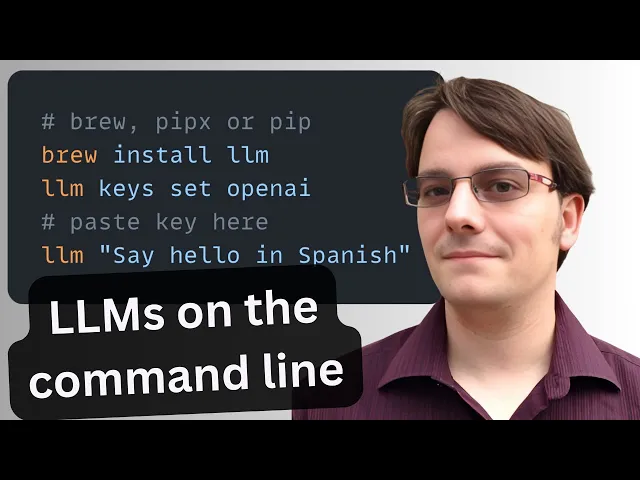
Multi-agent orchestration#
- Sub-agents: Claude’s
/agent, Codexnpx -y @openai/codex exec, and Gemini’s--continuelet you spawn specialized helpers (e.g., a dedicated testing agent allowed to runuv run pytest). Document these agents and their tool rights inAGENTS.md. - CLI bridges: Expose other coding CLIs (
npx -y @anthropic-ai/claude-code,gemini -p) so a supervising agent can delegate tasks as subprocesses.
JavaScript & browser automation#
- Node +
npx: Ship helper scripts (npx tsx scripts/report.ts) without global installs. - Playwright: Allow agents to capture screenshots, drive smoke tests, or scrape fixtures with
npx playwright test --grep smoke. (Playwright README) - lit-html, ky, etc.: When agents need to scaffold front-end context, prefer modern ESM modules already listed in instructions to avoid bespoke tooling.
Cloud automation#
Grant access deliberately:
aws sts get-caller-identity
aws lambda invoke --function-name repo-ci --payload file://payload.json out.json

az deployment group create --resource-group ai-lab --template-file main.bicep

gcloud workflows run nightly-agent --data @params.json --location us-central1
Whitelist only the services you need, and pair with IAM policies scoped to staging projects.
Ingestion & context builders#
uvx markitdown: Convert rich docs to Markdown for prompts:uvx markitdown spec.pdf --output docs/spec.md(see MarkItDown README).uvx yt-dlp: Capture transcripts/snippets for video walkthroughs:uvx yt-dlp -o notes/%(id)s.%(ext)s --write-auto-sub --skip-download https://youtu.be/AMdG7IjgSPM. (yt-dlp README)pandoc+llm: Convert docs then chunk and embed for retrieval.
Tool recipes#
# Pipe JSON todos into a prompt for action items
rg -n "TODO" -g '!node_modules' | jq -Rs . | llm -m gpt-4o-mini "Refactor these TODOs into GitHub issues"

# Build a tiny eval suite with DuckDB + sqlite-utils + embeddings
duckdb :memory: "select * from 'metrics.parquet' where passed = false" \
  | xsv sample 200 \
  | llm embed-multi --to sqlite eval.db --model text-embedding-3-large
sqlite-utils query eval.db "select count(*) from embeddings" --table

# Safe edits with guards
npx @mcp/server-filesystem --root src --readonly \
  | llm -m claude-3-7-sonnet "Summarize new APIs before granting edit access"

# Crawl docs to Markdown and store in SQLite for retrieval
curl -s https://docs.example.com/api.html \
  | pandoc -f html -t gfm \
  | llm --save doc-ingest
Model Context Protocol (MCP)#
Model Context Protocol is an open standard that enables AI applications to securely connect to external systems like databases, APIs, and development tools. Think of MCP as “USB-C for AI” – a standardized way to extend AI capabilities safely.
Core MCP concepts#
Servers: Applications that expose capabilities to AI models Clients: AI applications that consume server capabilities Resources: Data sources like files, databases, or APIs Tools: Actions the AI can perform, like running commands or making API calls Prompts: Reusable prompt templates with parameters
Safe tool integration#
MCP provides explicit capability control and auditability that’s essential for production AI workflows:
{
  "mcpServers": {
    "database": {
      "command": "npx @mcp/server-sqlite",
      "args": ["./dev.db"],
      "allowedOperations": ["read", "aggregate"],
      "restrictions": ["no-write", "no-delete"]
    },
    "browser": {
      "command": "npx @mcp/server-browser",
      "allowedDomains": ["docs.example.com", "api.example.com"],
      "restrictions": ["no-downloads", "no-file-uploads"]
    }
  }
}
Common MCP servers for development#
SQLite Server: Safe database access with read-only or limited write permissions
npx @mcp/server-sqlite ./project.db --read-onlyMemory Server: Persistent context across AI sessions
npx @mcp/server-memory --storage ./ai-memory.jsonSequential Thinking Server: Enhanced reasoning capabilities
npx @mcp/server-sequential-thinkingFile System Server: Controlled file access with path restrictions
npx @mcp/server-filesystem --root ./src --readonlyIntegration patterns#
CI/CD Integration: Connect AI to your build and deployment systems
# .github/workflows/ai-review.yml
- name: Run AI Code Review
  run: |
    npx @mcp/server-github-api | llm "Review this PR for issues"
Development Workflow: Use MCP servers for common development tasks
# Database schema analysis
echo "ANALYZE" | npx @mcp/server-sqlite project.db | llm "Suggest index optimizations"

# Log analysis
npx @mcp/server-filesystem logs/ | llm "Find error patterns in recent logs"
- The Model Context Protocol (MCP)
- MCP Crash Course for Python Developers
- Model Context Protocol Documentation
Summary#
Mention tools & examples to your AGENTS.md / CLAUDE.md / custom instructions to help them use these effectively.
Here’s a sample snippet you can adapt:
## Core commands

- `uv run ruff check src tests` — lint + format every touchpoint.
- `uv run pytest -q` — run targeted tests before proposing merges.
- `uv run mypy src` and `uv run pyright --outputjson` — keep static typing green.
- `gh pr checks --watch` — monitor CI after pushing branches.

## Data & context helpers

- `rg "TODO" -g '!node_modules' | jq -Rs .` — capture TODOs for planning prompts.
- `duckdb :memory: "SELECT * FROM 'artifacts.parquet' LIMIT 20"` — inspect eval fixtures locally.
- `uvx markitdown docs/spec.pdf --output docs/spec.md` — convert external docs to Markdown before asking for summaries.

## Notifications

- `slack chat send --channel dev-ai --text "$(git rev-parse --short HEAD) tests passed"` — ping maintainers when work is ready for review.