Data Preparation in the Shell#
You’ll learn how to use UNIX tools to process and clean data, covering:
curl(orwget) to fetch data from websites.gzip(orxz) to compress and decompress files.wcto count lines, words, and characters in text.headandtailto get the start and end of files.cutto extract specific columns from text.uniqto de-duplicate lines.sortto sort lines.grepto filter lines containing specific text.sedto search and replace text.awkfor more complex text processing.
Data preparation in the shell - Notebook
UNIX has a great set of tools to clean and analyze data.
This is important because these tools are:
- Agile: You can quickly explore data and see the results.
- Fast: They’re written in C. They’re easily parallelizable.
- Popular: Most systems and languages support shell commands.
In this notebook, we’ll explore log files with these shell-based commands.
Download logs#
This file has Apache web server logs for the site s-anand.net in the month of April 2024.
You can download files using wget or curl. One of these is usually available by default on most systems.
We’ll use curl to download the file from the URL https://drive.usercontent.google.com/uc?id=1J1ed4iHFAiS1Xq55aP858OEyEMQ-uMnE&export=download
# curl has LOTs of options. You won't remember most, but it's fun to geek out.
!curl --help all
Usage: curl [options...] <url>
--abstract-unix-socket <path> Connect via abstract Unix domain socket
--alt-svc <file name> Enable alt-svc with this cache file
--anyauth Pick any authentication method
-a, --append Append to target file when uploading
--aws-sigv4 <provider1[:provider2[:region[:service]]]> Use AWS V4 signature authentication
--basic Use HTTP Basic Authentication
--cacert <file> CA certificate to verify peer against
--capath <dir> CA directory to verify peer against
-E, --cert <certificate[:password]> Client certificate file and password
--cert-status Verify the status of the server cert via OCSP-staple
--cert-type <type> Certificate type (DER/PEM/ENG)
--ciphers <list of ciphers> SSL ciphers to use
--compressed Request compressed response
--compressed-ssh Enable SSH compression
-K, --config <file> Read config from a file
--connect-timeout <fractional seconds> Maximum time allowed for connection
--connect-to <HOST1:PORT1:HOST2:PORT2> Connect to host
-C, --continue-at <offset> Resumed transfer offset
-b, --cookie <data|filename> Send cookies from string/file
-c, --cookie-jar <filename> Write cookies to <filename> after operation
--create-dirs Create necessary local directory hierarchy
--create-file-mode <mode> File mode for created files
--crlf Convert LF to CRLF in upload
--crlfile <file> Use this CRL list
--curves <algorithm list> (EC) TLS key exchange algorithm(s) to request
-d, --data <data> HTTP POST data
--data-ascii <data> HTTP POST ASCII data
--data-binary <data> HTTP POST binary data
--data-raw <data> HTTP POST data, '@' allowed
--data-urlencode <data> HTTP POST data url encoded
--delegation <LEVEL> GSS-API delegation permission
--digest Use HTTP Digest Authentication
-q, --disable Disable .curlrc
--disable-eprt Inhibit using EPRT or LPRT
--disable-epsv Inhibit using EPSV
--disallow-username-in-url Disallow username in url
--dns-interface <interface> Interface to use for DNS requests
--dns-ipv4-addr <address> IPv4 address to use for DNS requests
--dns-ipv6-addr <address> IPv6 address to use for DNS requests
--dns-servers <addresses> DNS server addrs to use
--doh-cert-status Verify the status of the DoH server cert via OCSP-staple
--doh-insecure Allow insecure DoH server connections
--doh-url <URL> Resolve host names over DoH
-D, --dump-header <filename> Write the received headers to <filename>
--egd-file <file> EGD socket path for random data
--engine <name> Crypto engine to use
--etag-compare <file> Pass an ETag from a file as a custom header
--etag-save <file> Parse ETag from a request and save it to a file
--expect100-timeout <seconds> How long to wait for 100-continue
-f, --fail Fail silently (no output at all) on HTTP errors
--fail-early Fail on first transfer error, do not continue
--fail-with-body Fail on HTTP errors but save the body
--false-start Enable TLS False Start
-F, --form <name=content> Specify multipart MIME data
--form-escape Escape multipart form field/file names using backslash
--form-string <name=string> Specify multipart MIME data
--ftp-account <data> Account data string
--ftp-alternative-to-user <command> String to replace USER [name]
--ftp-create-dirs Create the remote dirs if not present
--ftp-method <method> Control CWD usage
--ftp-pasv Use PASV/EPSV instead of PORT
-P, --ftp-port <address> Use PORT instead of PASV
--ftp-pret Send PRET before PASV
--ftp-skip-pasv-ip Skip the IP address for PASV
--ftp-ssl-ccc Send CCC after authenticating
--ftp-ssl-ccc-mode <active/passive> Set CCC mode
--ftp-ssl-control Require SSL/TLS for FTP login, clear for transfer
-G, --get Put the post data in the URL and use GET
-g, --globoff Disable URL sequences and ranges using {} and []
--happy-eyeballs-timeout-ms <milliseconds> Time for IPv6 before trying IPv4
--haproxy-protocol Send HAProxy PROXY protocol v1 header
-I, --head Show document info only
-H, --header <header/@file> Pass custom header(s) to server
-h, --help <category> Get help for commands
--hostpubmd5 <md5> Acceptable MD5 hash of the host public key
--hostpubsha256 <sha256> Acceptable SHA256 hash of the host public key
--hsts <file name> Enable HSTS with this cache file
--http0.9 Allow HTTP 0.9 responses
-0, --http1.0 Use HTTP 1.0
--http1.1 Use HTTP 1.1
--http2 Use HTTP 2
--http2-prior-knowledge Use HTTP 2 without HTTP/1.1 Upgrade
--http3 Use HTTP v3
--ignore-content-length Ignore the size of the remote resource
-i, --include Include protocol response headers in the output
-k, --insecure Allow insecure server connections
--interface <name> Use network INTERFACE (or address)
-4, --ipv4 Resolve names to IPv4 addresses
-6, --ipv6 Resolve names to IPv6 addresses
-j, --junk-session-cookies Ignore session cookies read from file
--keepalive-time <seconds> Interval time for keepalive probes
--key <key> Private key file name
--key-type <type> Private key file type (DER/PEM/ENG)
--krb <level> Enable Kerberos with security <level>
--libcurl <file> Dump libcurl equivalent code of this command line
--limit-rate <speed> Limit transfer speed to RATE
-l, --list-only List only mode
--local-port <num/range> Force use of RANGE for local port numbers
-L, --location Follow redirects
--location-trusted Like --location, and send auth to other hosts
--login-options <options> Server login options
--mail-auth <address> Originator address of the original email
--mail-from <address> Mail from this address
--mail-rcpt <address> Mail to this address
--mail-rcpt-allowfails Allow RCPT TO command to fail for some recipients
-M, --manual Display the full manual
--max-filesize <bytes> Maximum file size to download
--max-redirs <num> Maximum number of redirects allowed
-m, --max-time <fractional seconds> Maximum time allowed for transfer
--metalink Process given URLs as metalink XML file
--negotiate Use HTTP Negotiate (SPNEGO) authentication
-n, --netrc Must read .netrc for user name and password
--netrc-file <filename> Specify FILE for netrc
--netrc-optional Use either .netrc or URL
-:, --next Make next URL use its separate set of options
--no-alpn Disable the ALPN TLS extension
-N, --no-buffer Disable buffering of the output stream
--no-keepalive Disable TCP keepalive on the connection
--no-npn Disable the NPN TLS extension
--no-progress-meter Do not show the progress meter
--no-sessionid Disable SSL session-ID reusing
--noproxy <no-proxy-list> List of hosts which do not use proxy
--ntlm Use HTTP NTLM authentication
--ntlm-wb Use HTTP NTLM authentication with winbind
--oauth2-bearer <token> OAuth 2 Bearer Token
-o, --output <file> Write to file instead of stdout
--output-dir <dir> Directory to save files in
-Z, --parallel Perform transfers in parallel
--parallel-immediate Do not wait for multiplexing (with --parallel)
--parallel-max <num> Maximum concurrency for parallel transfers
--pass <phrase> Pass phrase for the private key
--path-as-is Do not squash .. sequences in URL path
--pinnedpubkey <hashes> FILE/HASHES Public key to verify peer against
--post301 Do not switch to GET after following a 301
--post302 Do not switch to GET after following a 302
--post303 Do not switch to GET after following a 303
--preproxy [protocol://]host[:port] Use this proxy first
-#, --progress-bar Display transfer progress as a bar
--proto <protocols> Enable/disable PROTOCOLS
--proto-default <protocol> Use PROTOCOL for any URL missing a scheme
--proto-redir <protocols> Enable/disable PROTOCOLS on redirect
-x, --proxy [protocol://]host[:port] Use this proxy
--proxy-anyauth Pick any proxy authentication method
--proxy-basic Use Basic authentication on the proxy
--proxy-cacert <file> CA certificate to verify peer against for proxy
--proxy-capath <dir> CA directory to verify peer against for proxy
--proxy-cert <cert[:passwd]> Set client certificate for proxy
--proxy-cert-type <type> Client certificate type for HTTPS proxy
--proxy-ciphers <list> SSL ciphers to use for proxy
--proxy-crlfile <file> Set a CRL list for proxy
--proxy-digest Use Digest authentication on the proxy
--proxy-header <header/@file> Pass custom header(s) to proxy
--proxy-insecure Do HTTPS proxy connections without verifying the proxy
--proxy-key <key> Private key for HTTPS proxy
--proxy-key-type <type> Private key file type for proxy
--proxy-negotiate Use HTTP Negotiate (SPNEGO) authentication on the proxy
--proxy-ntlm Use NTLM authentication on the proxy
--proxy-pass <phrase> Pass phrase for the private key for HTTPS proxy
--proxy-pinnedpubkey <hashes> FILE/HASHES public key to verify proxy with
--proxy-service-name <name> SPNEGO proxy service name
--proxy-ssl-allow-beast Allow security flaw for interop for HTTPS proxy
--proxy-ssl-auto-client-cert Use auto client certificate for proxy (Schannel)
--proxy-tls13-ciphers <ciphersuite list> TLS 1.3 proxy cipher suites
--proxy-tlsauthtype <type> TLS authentication type for HTTPS proxy
--proxy-tlspassword <string> TLS password for HTTPS proxy
--proxy-tlsuser <name> TLS username for HTTPS proxy
--proxy-tlsv1 Use TLSv1 for HTTPS proxy
-U, --proxy-user <user:password> Proxy user and password
--proxy1.0 <host[:port]> Use HTTP/1.0 proxy on given port
-p, --proxytunnel Operate through an HTTP proxy tunnel (using CONNECT)
--pubkey <key> SSH Public key file name
-Q, --quote <command> Send command(s) to server before transfer
--random-file <file> File for reading random data from
-r, --range <range> Retrieve only the bytes within RANGE
--raw Do HTTP "raw"; no transfer decoding
-e, --referer <URL> Referrer URL
-J, --remote-header-name Use the header-provided filename
-O, --remote-name Write output to a file named as the remote file
--remote-name-all Use the remote file name for all URLs
-R, --remote-time Set the remote file's time on the local output
-X, --request <method> Specify request method to use
--request-target <path> Specify the target for this request
--resolve <[+]host:port:addr[,addr]...> Resolve the host+port to this address
--retry <num> Retry request if transient problems occur
--retry-all-errors Retry all errors (use with --retry)
--retry-connrefused Retry on connection refused (use with --retry)
--retry-delay <seconds> Wait time between retries
--retry-max-time <seconds> Retry only within this period
--sasl-authzid <identity> Identity for SASL PLAIN authentication
--sasl-ir Enable initial response in SASL authentication
--service-name <name> SPNEGO service name
-S, --show-error Show error even when -s is used
-s, --silent Silent mode
--socks4 <host[:port]> SOCKS4 proxy on given host + port
--socks4a <host[:port]> SOCKS4a proxy on given host + port
--socks5 <host[:port]> SOCKS5 proxy on given host + port
--socks5-basic Enable username/password auth for SOCKS5 proxies
--socks5-gssapi Enable GSS-API auth for SOCKS5 proxies
--socks5-gssapi-nec Compatibility with NEC SOCKS5 server
--socks5-gssapi-service <name> SOCKS5 proxy service name for GSS-API
--socks5-hostname <host[:port]> SOCKS5 proxy, pass host name to proxy
-Y, --speed-limit <speed> Stop transfers slower than this
-y, --speed-time <seconds> Trigger 'speed-limit' abort after this time
--ssl Try SSL/TLS
--ssl-allow-beast Allow security flaw to improve interop
--ssl-auto-client-cert Use auto client certificate (Schannel)
--ssl-no-revoke Disable cert revocation checks (Schannel)
--ssl-reqd Require SSL/TLS
--ssl-revoke-best-effort Ignore missing/offline cert CRL dist points
-2, --sslv2 Use SSLv2
-3, --sslv3 Use SSLv3
--stderr <file> Where to redirect stderr
--styled-output Enable styled output for HTTP headers
--suppress-connect-headers Suppress proxy CONNECT response headers
--tcp-fastopen Use TCP Fast Open
--tcp-nodelay Use the TCP_NODELAY option
-t, --telnet-option <opt=val> Set telnet option
--tftp-blksize <value> Set TFTP BLKSIZE option
--tftp-no-options Do not send any TFTP options
-z, --time-cond <time> Transfer based on a time condition
--tls-max <VERSION> Set maximum allowed TLS version
--tls13-ciphers <ciphersuite list> TLS 1.3 cipher suites to use
--tlsauthtype <type> TLS authentication type
--tlspassword <string> TLS password
--tlsuser <name> TLS user name
-1, --tlsv1 Use TLSv1.0 or greater
--tlsv1.0 Use TLSv1.0 or greater
--tlsv1.1 Use TLSv1.1 or greater
--tlsv1.2 Use TLSv1.2 or greater
--tlsv1.3 Use TLSv1.3 or greater
--tr-encoding Request compressed transfer encoding
--trace <file> Write a debug trace to FILE
--trace-ascii <file> Like --trace, but without hex output
--trace-time Add time stamps to trace/verbose output
--unix-socket <path> Connect through this Unix domain socket
-T, --upload-file <file> Transfer local FILE to destination
--url <url> URL to work with
-B, --use-ascii Use ASCII/text transfer
-u, --user <user:password> Server user and password
-A, --user-agent <name> Send User-Agent <name> to server
-v, --verbose Make the operation more talkative
-V, --version Show version number and quit
-w, --write-out <format> Use output FORMAT after completion
--xattr Store metadata in extended file attributes
# We're using 3 curl options here:
#   --continue-at - continues the download from where it left off. It won't download if already downloaded
#   --location downloads the file even if the link sends us somewhere else
#   --output FILE saves the downloaded output as
!curl --continue-at - \
  --location \
  --output s-anand.net-Apr-2024.gz \
  https://drive.usercontent.google.com/uc?id=1J1ed4iHFAiS1Xq55aP858OEyEMQ-uMnE&export=download
% Total % Received % Xferd Average Speed Time Time Time Current
Dload Upload Total Spent Left Speed
0 0 0 0 0 0 0 0 --:--:-- --:--:-- --:--:-- 0
100 5665k 100 5665k 0 0 3139k 0 0:00:01 0:00:01 --:--:-- 9602k
List files#
ls lists files. It too has lots of options.
!ls --helpUsage: ls [OPTION]... [FILE]...
List information about the FILEs (the current directory by default).
Sort entries alphabetically if none of -cftuvSUX nor --sort is specified.
Mandatory arguments to long options are mandatory for short options too.
-a, --all do not ignore entries starting with .
-A, --almost-all do not list implied . and ..
--author with -l, print the author of each file
-b, --escape print C-style escapes for nongraphic characters
--block-size=SIZE with -l, scale sizes by SIZE when printing them;
e.g., '--block-size=M'; see SIZE format below
-B, --ignore-backups do not list implied entries ending with ~
-c with -lt: sort by, and show, ctime (time of last
modification of file status information);
with -l: show ctime and sort by name;
otherwise: sort by ctime, newest first
-C list entries by columns
--color[=WHEN] colorize the output; WHEN can be 'always' (default
if omitted), 'auto', or 'never'; more info below
-d, --directory list directories themselves, not their contents
-D, --dired generate output designed for Emacs' dired mode
-f do not sort, enable -aU, disable -ls --color
-F, --classify append indicator (one of */=>@|) to entries
--file-type likewise, except do not append '*'
--format=WORD across -x, commas -m, horizontal -x, long -l,
single-column -1, verbose -l, vertical -C
--full-time like -l --time-style=full-iso
-g like -l, but do not list owner
--group-directories-first
group directories before files;
can be augmented with a --sort option, but any
use of --sort=none (-U) disables grouping
-G, --no-group in a long listing, don't print group names
-h, --human-readable with -l and -s, print sizes like 1K 234M 2G etc.
--si likewise, but use powers of 1000 not 1024
-H, --dereference-command-line
follow symbolic links listed on the command line
--dereference-command-line-symlink-to-dir
follow each command line symbolic link
that points to a directory
--hide=PATTERN do not list implied entries matching shell PATTERN
(overridden by -a or -A)
--hyperlink[=WHEN] hyperlink file names; WHEN can be 'always'
(default if omitted), 'auto', or 'never'
--indicator-style=WORD append indicator with style WORD to entry names:
none (default), slash (-p),
file-type (--file-type), classify (-F)
-i, --inode print the index number of each file
-I, --ignore=PATTERN do not list implied entries matching shell PATTERN
-k, --kibibytes default to 1024-byte blocks for disk usage;
used only with -s and per directory totals
-l use a long listing format
-L, --dereference when showing file information for a symbolic
link, show information for the file the link
references rather than for the link itself
-m fill width with a comma separated list of entries
-n, --numeric-uid-gid like -l, but list numeric user and group IDs
-N, --literal print entry names without quoting
-o like -l, but do not list group information
-p, --indicator-style=slash
append / indicator to directories
-q, --hide-control-chars print ? instead of nongraphic characters
--show-control-chars show nongraphic characters as-is (the default,
unless program is 'ls' and output is a terminal)
-Q, --quote-name enclose entry names in double quotes
--quoting-style=WORD use quoting style WORD for entry names:
literal, locale, shell, shell-always,
shell-escape, shell-escape-always, c, escape
(overrides QUOTING_STYLE environment variable)
-r, --reverse reverse order while sorting
-R, --recursive list subdirectories recursively
-s, --size print the allocated size of each file, in blocks
-S sort by file size, largest first
--sort=WORD sort by WORD instead of name: none (-U), size (-S),
time (-t), version (-v), extension (-X)
--time=WORD change the default of using modification times;
access time (-u): atime, access, use;
change time (-c): ctime, status;
birth time: birth, creation;
with -l, WORD determines which time to show;
with --sort=time, sort by WORD (newest first)
--time-style=TIME_STYLE time/date format with -l; see TIME_STYLE below
-t sort by time, newest first; see --time
-T, --tabsize=COLS assume tab stops at each COLS instead of 8
-u with -lt: sort by, and show, access time;
with -l: show access time and sort by name;
otherwise: sort by access time, newest first
-U do not sort; list entries in directory order
-v natural sort of (version) numbers within text
-w, --width=COLS set output width to COLS. 0 means no limit
-x list entries by lines instead of by columns
-X sort alphabetically by entry extension
-Z, --context print any security context of each file
-1 list one file per line. Avoid '\n' with -q or -b
--help display this help and exit
--version output version information and exit
The SIZE argument is an integer and optional unit (example: 10K is 10*1024).
Units are K,M,G,T,P,E,Z,Y (powers of 1024) or KB,MB,... (powers of 1000).
Binary prefixes can be used, too: KiB=K, MiB=M, and so on.
The TIME_STYLE argument can be full-iso, long-iso, iso, locale, or +FORMAT.
FORMAT is interpreted like in date(1). If FORMAT is FORMAT1<newline>FORMAT2,
then FORMAT1 applies to non-recent files and FORMAT2 to recent files.
TIME_STYLE prefixed with 'posix-' takes effect only outside the POSIX locale.
Also the TIME_STYLE environment variable sets the default style to use.
Using color to distinguish file types is disabled both by default and
with --color=never. With --color=auto, ls emits color codes only when
standard output is connected to a terminal. The LS_COLORS environment
variable can change the settings. Use the dircolors command to set it.
Exit status:
0 if OK,
1 if minor problems (e.g., cannot access subdirectory),
2 if serious trouble (e.g., cannot access command-line argument).
GNU coreutils online help: <https://www.gnu.org/software/coreutils/>
Full documentation <https://www.gnu.org/software/coreutils/ls>
or available locally via: info '(coreutils) ls invocation'
# By default, it just lists all file names
!ls
sample_data s-anand.net-Apr-2024.gz
# If we want to see the size of the file, use `-l` for the long-listing format
!ls -l
total 5672
drwxr-xr-x 1 root root 4096 Jun 6 14:21 sample_data
-rw-r--r-- 1 root root 5801198 Jun 9 05:18 s-anand.net-Apr-2024.gz
Uncompress the log file#
gzip is the most popular compression format on the web. It’s fast and pretty good. (xz is much better but slower.)
Since the file has a .gz extension, we know it’s compressed using gzip. We can use gzip -d FILE.gz to decompress the file. It’ll replace FILE.gz with FILE.
(Compression works the opposite way. gzip FILE replaces FILE with FILE.gz)link text
# gzip -d is the same as gunzip. They both decompress a GZIP-ed file
!gzip -d s-anand.net-Apr-2024.gz
# Let's list the files and see the size
!ls -ltotal 50832
drwxr-xr-x 1 root root 4096 Jun 6 14:21 sample_data
-rw-r--r-- 1 root root 52044491 Jun 9 05:18 s-anand.net-Apr-2024
In this case, a file that was ~5.8MiB became ~52MiB, roughly 10 times larger. Clearly, it’s more efficient to store and transport compressed files – especitally if they’re plain text.
Preview the logs#
To see the first few lines or the last few lines of a text file, use head or tail italicized text
# Show the first 5 lines
!head -n 5 s-anand.net-Apr-2024
17.241.219.11 - - [31/Mar/2024:07:16:50 -0500] "GET /hindi/Hari_Puttar_-_A_Comedy_of_Terrors~Meri_Yaadon_Mein_Hai_Tu HTTP/1.1" 200 2839 "-" "Mozilla/5.0 (Macintosh; Intel Mac OS X 10_15_5) AppleWebKit/605.1.15 (KHTML, like Gecko) Version/13.1.1 Safari/605.1.15 (Applebot/0.1; +http://www.apple.com/go/applebot)" www.s-anand.net 192.254.190.216
17.241.75.154 - - [31/Mar/2024:07:17:40 -0500] "GET /hindimp3/~AAN_MILO_SAJNA%3DRANG_RANG_KE_PHOOL_KHILE HTTP/1.1" 200 2786 "-" "Mozilla/5.0 (Macintosh; Intel Mac OS X 10_15_5) AppleWebKit/605.1.15 (KHTML, like Gecko) Version/13.1.1 Safari/605.1.15 (Applebot/0.1; +http://www.apple.com/go/applebot)" www.s-anand.net 192.254.190.216
101.44.248.120 - - [31/Mar/2024:07:19:03 -0500] "GET /hindi/BRAHMCHARI HTTP/1.1" 200 2757 "http://www.s-anand.net/hindi/BRAHMCHARI" "Mozilla/5.0 (Macintosh; Intel Mac OS X 10_15_7) AppleWebKit/537.36 (KHTML, like Gecko) Chrome/114.0.0.0 Safari/537.36" www.s-anand.net 192.254.190.216
17.241.227.200 - - [31/Mar/2024:07:19:31 -0500] "GET /malayalam/Kaarunyam~Valampiri_Sangil HTTP/1.1" 200 2749 "-" "Mozilla/5.0 (Macintosh; Intel Mac OS X 10_15_5) AppleWebKit/605.1.15 (KHTML, like Gecko) Version/13.1.1 Safari/605.1.15 (Applebot/0.1; +http://www.apple.com/go/applebot)" www.s-anand.net 192.254.190.216
37.59.21.100 - - [31/Mar/2024:07:19:41 -0500] "GET /blog/matching-misspelt-tamil-movie-names/feed/ HTTP/1.1" 200 1105 "-" "Mozilla/5.0 (X11; Linux i686) AppleWebKit/537.36 (KHTML, like Gecko) Chrome/30.0.1599.66 Safari/537.36" www.s-anand.net 192.254.190.216
# Show the last 5 files
!tail -n 5 s-anand.net-Apr-2024
47.128.125.180 - - [30/Apr/2024:07:07:47 -0500] "GET /tamil/Subramaniyapuram HTTP/1.1" 406 226 "-" "Mozilla/5.0 (compatible; Bytespider; [email protected]) AppleWebKit/537.36 (KHTML, like Gecko) Chrome/70.0.0.0 Safari/537.36" www.s-anand.net 192.254.190.216
37.59.21.100 - - [30/Apr/2024:07:10:27 -0500] "GET /blog/bollywood-actress-jigsaw-quiz/feed/ HTTP/1.1" 200 1072 "-" "Mozilla/5.0 (X11; Linux i686) AppleWebKit/537.36 (KHTML, like Gecko) Chrome/30.0.1599.66 Safari/537.36" www.s-anand.net 192.254.190.216
40.77.167.48 - - [30/Apr/2024:07:11:10 -0500] "GET /tamilmp3 HTTP/1.1" 200 4157 "-" "Mozilla/5.0 AppleWebKit/537.36 (KHTML, like Gecko; compatible; bingbot/2.0; +http://www.bing.com/bingbot.htm) Chrome/116.0.1938.76 Safari/537.36" www.s-anand.net 192.254.190.216
52.167.144.19 - - [30/Apr/2024:07:11:15 -0500] "GET /malayalam/Ayirathil%20Oruvan HTTP/1.1" 403 450 "-" "Mozilla/5.0 AppleWebKit/537.36 (KHTML, like Gecko; compatible; bingbot/2.0; +http://www.bing.com/bingbot.htm) Chrome/116.0.1938.76 Safari/537.36" www.s-anand.net 192.254.190.216
37.59.21.100 - - [30/Apr/2024:07:11:31 -0500] "GET /blog/2003-mumbai-bloggers-meet-photos/feed/ HTTP/1.1" 200 686 "-" "Mozilla/5.0 (X11; Linux i686) AppleWebKit/537.36 (KHTML, like Gecko) Chrome/30.0.1599.66 Safari/537.36" www.s-anand.net 192.254.190.216
Clearly, the data is from around 31 Mar 2024 a bit after 7 am EST (GMT-5) until 30 Apr 2024, a bit after 7 am EST.
Each line is an Apache log record. It has a lot of data. Some are clear. For example, taking the last row:
37.59.21.100is the IP address that made a request. That’s from OVH - a French cloud provider. Maybe a bot.[30/Apr/2024:07:11:31 -0500]is the time of the request"GET /blog/2003-mumbai-bloggers-meet-photos/feed/ HTTP/1.1"is the request made to this page200is the HTTP reponse status code, indicating that all’s well686bytes was the size of the response"Mozilla/5.0 (X11; Linux i686) AppleWebKit/537.36 (KHTML, like Gecko) Chrome/30.0.1599.66 Safari/537.36"is the user agent. That’s Chrome 30 – a really old versio of Chrome on Linux. Very likely a bot.
Count requests#
wc counts the number of lines, words, and characters in a file. The number of lines is most often used with data.
!wc s-anand.net-Apr-2024208539 4194545 52044491 s-anand.net-Apr-2024
So, in Apr 2024, there were ~208K requests to the site. Useful to know.
I wonder: Who is sending most of these requests?
Let’s extract the IP addresses and count them.
Extract the IP column#
We’ll use cut to cut the first column. It has 2 options that we’ll use.
--delimiter is the character that splits fields. In the log file, it’s a space. (We’ll confirm this shortly.)
--fields picks the field to cut. We want field 1 (IP address)
Let’s preview this:
# Preview just the IP addresses from the logs
!cut --delimiter " " --fields 1 s-anand.net-Apr-2024 | head -n 5
17.241.219.11
17.241.75.154
101.44.248.120
17.241.227.200
37.59.21.100
We used the | operator. That passes the output to the next command, head -n 5, and gives us first 5 lines. This is called piping and is the equivalent of calling a function inside another in programming languages.
We’ll use sort to sort these IP addresses. That puts the same IP addresses next to each other.
# Preview the SORTED IP addresses from the logs
!cut --delimiter " " --fields 1 s-anand.net-Apr-2024 | sort | head -n 5
100.20.65.50
100.43.111.139
101.100.145.51
101.115.156.11
101.115.205.68
There are no duplicates there… maybe we need to go a bit further? Let’s check the top 25 lines.
# Preview the SORTED IP addresses from the logs
!cut --delimiter " " --fields 1 s-anand.net-Apr-2024 | sort | head -n 25
100.20.65.50
100.43.111.139
101.100.145.51
101.115.156.11
101.115.205.68
101.126.25.225
101.132.248.41
101.166.40.221
101.166.6.221
101.183.40.167
101.185.221.147
101.188.225.246
101.200.218.166
101.201.66.35
101.2.187.83
101.2.187.83
101.2.187.83
101.2.187.83
101.2.187.83
101.2.187.83
101.2.187.83
101.44.160.158
101.44.160.158
101.44.160.177
101.44.160.177
OK, there are some duplicates. Good to know.
We’ll use uniq to count the unique IP addresses. It has a --count option that displays the number of unique values.
NOTE: uniq works ONLY on sorted files. You NEED to sort first.
!cut --delimiter " " --fields 1 s-anand.net-Apr-2024 | sort | uniq --count | head -n 251 100.20.65.50
1 100.43.111.139
1 101.100.145.51
1 101.115.156.11
1 101.115.205.68
1 101.126.25.225
1 101.132.248.41
1 101.166.40.221
1 101.166.6.221
1 101.183.40.167
1 101.185.221.147
1 101.188.225.246
1 101.200.218.166
1 101.201.66.35
7 101.2.187.83
2 101.44.160.158
2 101.44.160.177
2 101.44.160.189
3 101.44.160.20
2 101.44.160.41
1 101.44.161.208
1 101.44.161.71
3 101.44.161.77
2 101.44.161.93
2 101.44.162.166
That’s useful. 101.2.187.83 from Colombo visited 7 times.
But I’d like to know who visited the MOST. So let’s sort it further.
sort has an option --key 1n that sorts by field 1 – the count of IP addresses in this case. The n indicates that it’s a numeric sort (so 11 appears AFTER 2).
Also, we’ll use tail instead of head to get the highest entries.
# Show the top 5 IP addresses by visits
!cut --delimiter " " --fields 1 s-anand.net-Apr-2024 | sort | uniq --count | sort --key 1n | tail -n 5
2560 66.249.70.6
3010 148.251.241.12
4245 35.86.164.73
7800 37.59.21.100
101255 136.243.228.193
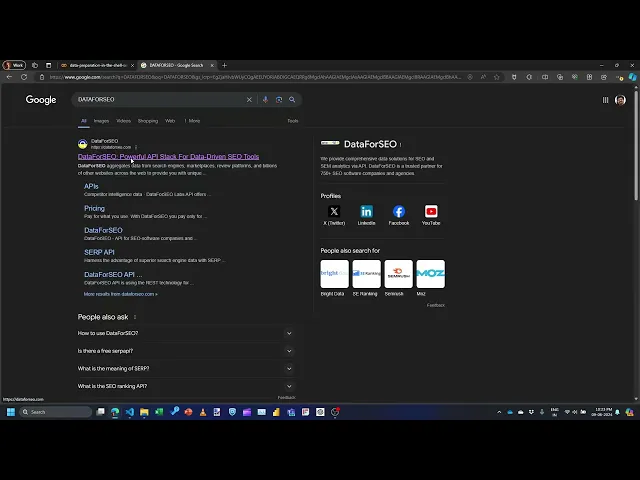
WOW! 136.243.228.193 from Dataforseo, Ukraine, sent roughly HALF of ALL the requests!
I wonder if we can figure out what User Agent they send. Is it something that identifies itself as a bot of some kind?
Find lines matching an IP#
grep searches for text in files. It uses Regular Expressions which are a powerful set of wildcards.
💡 TIP: You MUST learn regular expressions. They’re very helpful.
Here, we’ll search for all lines BEGINNING with 136.243.228.193 and having a space after that. That’s "^136.243.228.193 ". The ^ at the beginning matches the start of a line.
# Preview lines that begin with 136.243.228.193
!grep "^136.243.228.193 " s-anand.net-Apr-2024 | head -n 5
136.243.228.193 - - [31/Mar/2024:11:27:43 -0500] "GET /kannadamp3 HTTP/1.1" 200 4162 "-" "Mozilla/5.0 (compatible; DataForSeoBot/1.0; +https://dataforseo.com/dataforseo-bot)" www.s-anand.net 192.254.190.216
136.243.228.193 - - [31/Mar/2024:11:31:07 -0500] "GET /kannadamp3 HTTP/1.1" 200 4162 "-" "Mozilla/5.0 (compatible; DataForSeoBot/1.0; +https://dataforseo.com/dataforseo-bot)" www.s-anand.net 192.254.190.216
136.243.228.193 - - [03/Apr/2024:17:46:42 -0500] "GET /robots.txt HTTP/1.1" 200 195 "-" "Mozilla/5.0 (compatible; DataForSeoBot/1.0; +https://dataforseo.com/dataforseo-bot)" www.s-anand.net 192.254.190.216
136.243.228.193 - - [06/Apr/2024:02:58:43 -0500] "GET /Statistically_improbable_phrases.html HTTP/1.1" 301 - "-" "Mozilla/5.0 (compatible; DataForSeoBot/1.0; +https://dataforseo.com/dataforseo-bot)" www.s-anand.net 192.254.190.216
136.243.228.193 - - [08/Apr/2024:22:38:25 -0500] "GET /robots.txt HTTP/1.1" 200 195 "-" "Mozilla/5.0 (compatible; DataForSeoBot/1.0; +https://dataforseo.com/dataforseo-bot)" www.s-anand.net 192.254.190.216
These requests have clearly identified themselves as DataForSeoBot/1.0, which is helpful. It also seems to be crawling robots.txt to check if it’s allowed to crawl the site, which is polite.
Let’s look at the second IP address: 37.59.21.100. That seems to be from OVH, a French cloud hosting provider. Is that a bot, too?
# Preview lines that begin with 37.59.21.100
!grep "^37.59.21.100 " s-anand.net-Apr-2024 | head -n 5
37.59.21.100 - - [31/Mar/2024:07:19:41 -0500] "GET /blog/matching-misspelt-tamil-movie-names/feed/ HTTP/1.1" 200 1105 "-" "Mozilla/5.0 (X11; Linux i686) AppleWebKit/537.36 (KHTML, like Gecko) Chrome/30.0.1599.66 Safari/537.36" www.s-anand.net 192.254.190.216
37.59.21.100 - - [31/Mar/2024:07:19:53 -0500] "GET /blog/hindi-songs-online/feed/ HTTP/1.1" 200 1382 "-" "Mozilla/5.0 (X11; Linux i686) AppleWebKit/537.36 (KHTML, like Gecko) Chrome/30.0.1599.66 Safari/537.36" www.s-anand.net 192.254.190.216
37.59.21.100 - - [31/Mar/2024:07:24:26 -0500] "GET /blog/check-your-mobile-phones-serial-number/feed/ HTTP/1.1" 200 1572 "-" "Mozilla/5.0 (X11; Linux i686) AppleWebKit/537.36 (KHTML, like Gecko) Chrome/30.0.1599.66 Safari/537.36" www.s-anand.net 192.254.190.216
37.59.21.100 - - [31/Mar/2024:07:33:10 -0500] "GET /blog/classical-ilayaraja-2/feed/ HTTP/1.1" 200 1286 "-" "Mozilla/5.0 (X11; Linux i686) AppleWebKit/537.36 (KHTML, like Gecko) Chrome/30.0.1599.66 Safari/537.36" www.s-anand.net 192.254.190.216
37.59.21.100 - - [31/Mar/2024:07:36:33 -0500] "GET /blog/correlating-subjects/feed/ HTTP/1.1" 200 2257 "-" "Mozilla/5.0 (X11; Linux i686) AppleWebKit/537.36 (KHTML, like Gecko) Chrome/30.0.1599.66 Safari/537.36" www.s-anand.net 192.254.190.216
Looking at the user agent, Mozilla/5.0 (X11; Linux i686) AppleWebKit/537.36 (KHTML, like Gecko) Chrome/30.0.1599.66 Safari/537.36, it looks like Chrome 30 – a very old version.
Personally, I believe it’s more likely to be a bot than a French human so interested in my website that they made over 250 requests every day.
Find bots#
But, I’m curious. What are the user agents that DO identify themselves as bots? Let’s use grep to find all words that match bot.
grep --only-matching will show only the matches, not the entire line.
The regular expression '\S*bot\S*' (which ChatGPT generated) finds all words that have bot.
\Smatches non-space characters\S*matches 0 or more non-space characters
# Find all words with `bot` in it
!grep --only-matching '\b\w*bot\w*\b' s-anand.net-Apr-2024 | head
Applebot
applebot
Applebot
applebot
Applebot
applebot
Applebot
applebot
Applebot
applebot
# Count frequency of all words with `bot` in it and show the top 10
!grep --only-matching '\S*bot\S*' s-anand.net-Apr-2024 | sort | uniq --count | sort --key 1n | tail
4134 PetalBot;+https://webmaster.petalsearch.com/site/petalbot)"
4307 /robots.txt
5664 bingbot/2.0;
5664 +http://www.bing.com/bingbot.htm)
8771 [email protected])"
8827 +http://www.google.com/bot.html)"
8830 Googlebot/2.1;
13798 (Applebot/0.1;
13798 +http://www.apple.com/go/applebot)"
101262 +https://dataforseo.com/dataforseo-bot)"
That gives me a rough sense of who’s crawling my site.
Convert logs to CSV#
This file is almost a CSV file separated by spaces instead of commas.
The main problem is the date. Instead of [31/Mar/2024:11:27:43 -0500] it should have been "31/Mar/2024:11:27:43 -0500"
We’ll use sed (stream editor) to replace the characters. sed is like grep but lets you replace, not just search.
(Actually, sed can do a lot more. It’s a full-fledged editor. You can insert, delete, edit, etc. programmatically. In fact, sed has truly remarkable features that this paragraph is too small to contain.)
The regular expression we will use is \[\([^]]*\)\]. The way this works is:
\[: Match the opening square bracket.\([^]]*\): Capture everything inside the square brackets (non-greedy match for any character except]).\]: Match the closing square bracket.
BTW, I didn’t create this. ChatGPT did.
sed "s/abc/xyz/" FILE replaces abc with xyz in the file. We can use the regular expression above for the search and "\1" for the value – it inserts captured group enclosed in double quotes.
# Replace [datetime] etc. with "datetime" and save as log.csv
!sed 's/\[\([^]]*\)\]/"\1"/' s-anand.net-Apr-2024 > log.csv
# We should now have a log.csv that's roughly the same size as the original file.
!ls -ltotal 101660
-rw-r--r-- 1 root root 52044491 Jun 9 05:19 log.csv
drwxr-xr-x 1 root root 4096 Jun 6 14:21 sample_data
-rw-r--r-- 1 root root 52044491 Jun 9 05:18 s-anand.net-Apr-2024
You can download this log.csv and open it in Excel as a CSV file with space as the delimiter.
But when I did that, I faced another problem. Some of the lines had extra columns.
That’s because the “User Agent” values sometimes contain a quote. CSV files are supposed to escape quotes with "" – two double quotes. But Apache uses \" instead.
I’ll leave it as an exercise for you to fix that.
More commands#
We’ve covered the commands most often used to process data before analysis.
Here are a few more that you’ll find useful.
catconcatenates multiple files. You can join multiple log files with this, for exampleawkis almost a full-fledged programming interface. It’s often used for summing up valueslesslets you open and read files, scrolling through it
You can read the book Data Science at the Command Line for more tools and examples.