GitHub Pages — Practical Notes#
GitHub Pages hosts static websites directly from a GitHub repository. Static means the final output is only:
HTML + CSS + JavaScript + images + fonts + JSON filesNo backend server, no database server, no secret server-side environment variables. It is good for portfolios, documentation, project demos, blogs, landing pages, static dashboards, and built frontend apps. GitHub Pages supports free HTTPS and custom domains; project sites usually live at https://<username>.github.io/<repo>/.
flowchart LR
    A[Local files] --> B[Git commit]
    B --> C[GitHub repo]
    C --> D{Pages source}
    D --> E[Branch root]
    D --> F[Branch /docs]
    D --> G[GitHub Actions artifact]
    E --> H[Live static site]
    F --> H
    G --> H
The mental model first#
GitHub Pages does not run your Python, Node, Flask, FastAPI, Django, or database code.
It only serves finished files:
Good:
index.html
style.css
script.js
README.md
docs/index.html
dist/index.html
assets/logo.png

Not good:
app.py
server.js
.env
database.sqlite used as live backend
private API keys
For real developer work, use GitHub Pages when you need to quickly publish:
student portfolio
course assignment demo
project documentation
API documentation
resume website
static frontend app
Docsify documentation
Jekyll blog
Vite / React / Vue / Svelte build output
If the app needs login, database writes, private keys, background jobs, or Python APIs, deploy the backend somewhere else and let GitHub Pages only host the frontend.
flowchart TD
    A[Can it become static files?] -->|Yes| B[GitHub Pages]
    A -->|No| C[Use backend hosting]
    B --> D[Portfolio / Docs / Blog / Static frontend]
    C --> E[Cloud Run / Render / Railway / VM / Hugging Face Spaces]
Two types of GitHub Pages sites#
User site:
repo name must be <username>.github.io
URL becomes https://<username>.github.io/

Project site:
repo can have any name
URL becomes https://<username>.github.io/<repo>/
A GitHub account gets one user/organization site, but can have many project sites.
flowchart LR
    A[GitHub account] --> B[User site]
    A --> C[Project site 1]
    A --> D[Project site 2]
    B --> E["username.github.io"]
    C --> F["username.github.io/my-site"]
    D --> G["username.github.io/portfolio"]
Fastest possible deploy: plain HTML#
Install GitHub CLI first if needed:
# Ubuntu / WSL
sudo apt update
sudo apt install gh git -y

# Login once
gh auth login
Create a static site:
mkdir my-site
cd my-site

git init

cat > index.html <<'HTML'
<!doctype html>
<html lang="en">
<head>
  <meta charset="utf-8">
  <title>Hello GitHub Pages</title>
  <meta name="viewport" content="width=device-width, initial-scale=1">
  <style>
    body {
      font-family: system-ui, sans-serif;
      max-width: 720px;
      margin: 48px auto;
      padding: 0 16px;
      line-height: 1.6;
    }
    code {
      background: #f2f2f2;
      padding: 2px 6px;
      border-radius: 4px;
    }
  </style>
</head>
<body>
  <h1>Hello GitHub Pages</h1>
  <p>This site is served from a GitHub repository.</p>
  <p>Edit <code>index.html</code>, commit, push, and refresh after deployment.</p>
</body>
</html>
HTML

cat > README.md <<'MD'
# My Site

Small GitHub Pages demo.
MD

git add .
git commit -m "Create first GitHub Pages site"

# Create public GitHub repo and push
gh repo create my-site --public --source=. --push
Now enable Pages:
GitHub repo
→ Settings
→ Pages
→ Source: Deploy from a branch
→ Branch: main
→ Folder: / root
→ Save
Your project site becomes:
https://<username>.github.io/my-site/Branch source vs GitHub Actions#
There are two common deployment styles.
flowchart TD
    A[You push code] --> B{Deployment style}

    B --> C[Deploy from branch]
    C --> D[GitHub directly serves root or /docs]

    B --> E[GitHub Actions]
    E --> F[Install dependencies]
    F --> G[Build site]
    G --> H[Upload artifact]
    H --> I[Deploy Pages]
Use branch deploy when:
site is plain HTML/CSS/JS
Docsify site is directly in /docs or root
no build command is needed
you want simplest setup
Use GitHub Actions when:
you use npm build
you use Vite / React / Vue / Svelte / Astro / Hugo
you need to generate docs
you need reproducible deploys
you want build logs
Use GitHub Actions for real projects that need a build step. The official Pages deployment flow supports deploying an uploaded artifact from Actions.
Deploy with GitHub Actions#
For a built frontend, the output folder is often:
Vite / React: dist
Docusaurus: build
Astro: dist
Next static export: out
Hugo: public
Docsify: usually no build needed
Create this workflow:
mkdir -p .github/workflows

cat > .github/workflows/pages.yml <<'YAML'
name: Deploy to GitHub Pages

on:
  push:
    branches: [main]
  workflow_dispatch:

permissions:
  contents: read
  pages: write
  id-token: write

concurrency:
  group: pages
  cancel-in-progress: true

jobs:
  build:
    runs-on: ubuntu-latest

    steps:
      - name: Checkout repo
        uses: actions/checkout@v4

      - name: Setup Node
        uses: actions/setup-node@v4
        with:
          node-version: 22
          cache: npm

      - name: Install dependencies
        run: npm ci

      - name: Build site
        run: npm run build
        env:
          # Project site path example: /my-site/
          BASE_URL: /${{ github.event.repository.name }}/

      - name: Add nojekyll file
        run: touch dist/.nojekyll

      - name: Upload Pages artifact
        uses: actions/upload-pages-artifact@v3
        with:
          path: dist

  deploy:
    needs: build
    runs-on: ubuntu-latest

    environment:
      name: github-pages
      url: ${{ steps.deployment.outputs.page_url }}

    steps:
      - name: Deploy to Pages
        id: deployment
        uses: actions/deploy-pages@v4
YAML

git add .github/workflows/pages.yml
git commit -m "Add GitHub Pages deployment workflow"
git push
Then set:
Repo → Settings → Pages → Source: GitHub ActionsAfter every push to main, check:
Repo → Actions → Deploy to GitHub PagesImportant base URL problem#
This is the most common beginner bug.
User site:
https://<username>.github.io/Project site:
https://<username>.github.io/my-site/If your HTML says:
<link rel="stylesheet" href="/style.css">the browser asks for:
https://<username>.github.io/style.cssBut your file is actually at:
https://<username>.github.io/my-site/style.cssSo for project sites, prefer relative paths:
<link rel="stylesheet" href="./style.css">
<script src="./script.js"></script>
<img src="./assets/logo.png" alt="Logo">
For frameworks, set the base path:
Vite: base: "/my-site/"
React Router: basename="/my-site"
Astro: base: "/my-site"
Hugo: baseURL = "https://username.github.io/my-site/"
Next.js static export: basePath: "/my-site"
Project sites live under a subpath, so absolute asset paths can break unless the framework base URL is configured.
flowchart LR
    A["/style.css"] --> B[Wrong for project site]
    C["./style.css"] --> D[Usually safe]
    E["/my-site/style.css"] --> F[Correct if repo name is fixed]
Docsify: excellent for documentation#
Docsify is great when you want documentation from Markdown files without building static HTML. Start with an index.html and deploy to GitHub Pages. No npm build required.
Best structure:
my-docs/
├── docs/
│   ├── index.html
│   ├── README.md
│   ├── _sidebar.md
│   └── week-1/
│       └── github-pages.md
└── README.md
Create a Docsify site:
mkdir my-docs
cd my-docs
git init

mkdir docs

cat > docs/index.html <<'HTML'
<!doctype html>
<html>
<head>
  <meta charset="utf-8">
  <title>My Docs</title>
  <meta name="viewport" content="width=device-width, initial-scale=1">
  <link rel="stylesheet" href="//cdn.jsdelivr.net/npm/docsify@4/lib/themes/vue.css">
</head>
<body>
  <div id="app">Loading...</div>

  <script>
    window.$docsify = {
      name: "My Docs",
      repo: "",
      loadSidebar: true,
      subMaxLevel: 2,
      search: "auto"
    }
  </script>

  <script src="//cdn.jsdelivr.net/npm/docsify@4"></script>
  <script src="//cdn.jsdelivr.net/npm/docsify@4/lib/plugins/search.min.js"></script>
</body>
</html>
HTML

cat > docs/README.md <<'MD'
# My Docs

Welcome to my Docsify documentation site.

## Start here

- Read the sidebar
- Edit Markdown files
- Push to GitHub
MD

cat > docs/_sidebar.md <<'MD'
- [Home](/)
- Week 1
  - [GitHub Pages](week-1/github-pages.md)
MD

mkdir -p docs/week-1

cat > docs/week-1/github-pages.md <<'MD'
# GitHub Pages

This page is written in Markdown and rendered by Docsify in the browser.
MD

touch docs/.nojekyll

git add .
git commit -m "Create Docsify documentation site"

gh repo create my-docs --public --source=. --push
Enable Pages:
Repo → Settings → Pages
Source: Deploy from a branch
Branch: main
Folder: /docs
Save
Docsify recommends saving files in the docs/ folder on the main branch, then selecting main branch /docs folder as the Pages source.
Docsify is useful because:
Markdown becomes pages
_sidebar.md becomes navigation
No npm build required
Good for course notes and project docs
Easy GitHub Pages deployment
Jekyll: GitHub Pages built-in blog engine#
Jekyll is built into GitHub Pages. If your repository looks like a Jekyll site, GitHub Pages can build it without you writing your own Action. The basic pattern uses _config.yml and posts in a _posts/ directory.
Create a small Jekyll blog:
mkdir jekyll-blog
cd jekyll-blog
git init

cat > _config.yml <<'YAML'
title: My Blog
description: Notes about learning and projects
theme: minima
YAML

mkdir -p _posts

cat > index.md <<'MD'
---
layout: home
title: Home
---
MD

cat > _posts/2026-06-15-first-post.md <<'MD'
---
layout: post
title: "My first post"
date: 2026-06-15
---

This is my first Jekyll post on GitHub Pages.
MD

git add .
git commit -m "Create Jekyll blog"

gh repo create jekyll-blog --public --source=. --push
Enable:
Settings → Pages → Deploy from branch → main → / rootJekyll is good for:
blogs
simple documentation
posts with dates
themes
GitHub-native Pages builds
Docsify vs Jekyll:
flowchart TD
    A[Need documentation?] --> B{What style?}
    B --> C[Docsify]
    B --> D[Jekyll]
    C --> E[Markdown docs rendered in browser]
    C --> F[Great for course notes]
    C --> G[No build step]
    D --> H[Static blog generated by GitHub]
    D --> I[Posts, layouts, themes]
D --> J[Built-in GitHub Pages support].nojekyll: small file, big importance#
By default, branch-based GitHub Pages may process files with Jekyll. Files and folders beginning with _ can be ignored by Jekyll. To bypass Jekyll processing, add an empty .nojekyll file in the publishing source.
# If publishing from root
touch .nojekyll

# If publishing from docs/
touch docs/.nojekyll

# If publishing from build output in Actions
touch dist/.nojekyll
Use .nojekyll especially for:
Docsify
Vite / React build
Next.js static export with _next
Sphinx docs with _static
Any site with folders starting with _
Common mistake:
Pages source: /docs
.nojekyll location: repository root

Wrong. Put .nojekyll inside docs/ if /docs is the published folder.
Custom domain#
GitHub Pages can use a custom domain instead of the default github.io URL. Both repository settings and DNS records must point to GitHub Pages.
For apex domain:
example.comAdd A records at your DNS provider:
185.199.108.153
185.199.109.153
185.199.110.153
185.199.111.153
For subdomain:
docs.example.comAdd CNAME:
docs.example.com → <username>.github.ioThen in GitHub:
Repo → Settings → Pages → Custom domain
Enter: docs.example.com
Save
Enable: Enforce HTTPS
GitHub automatically requests and manages a Let’s Encrypt TLS certificate after DNS is correctly configured.
flowchart LR
    A[Browser] --> B[docs.example.com]
    B --> C[DNS CNAME]
    C --> D[username.github.io]
    D --> E[GitHub Pages site]
Safe habit:
Verify custom domains in GitHub settings to reduce domain takeover risk.Domain verification helps stop other users from taking over your custom domain for Pages.
GitHub Pages limits#
GitHub Pages is generous for student/project websites, but not for heavy file hosting or high-traffic media. Limits: published sites up to 1 GB, deployments time out after 10 minutes, soft bandwidth limit of 100 GB/month, and 10 builds/hour for source-branch builds.
Good:
small docs
portfolio
demo frontend
course notes
project landing page

Avoid:
large video hosting
large dataset hosting
private file storage
high traffic download server
backend application
GitHub warns for files over 50 MiB and blocks files at 100 MiB.
One complete practical example: Docsify docs site#
This creates a clean documentation website with Docsify and GitHub Pages.
mkdir tds-notes-site
cd tds-notes-site
git init

mkdir -p docs/week-1 docs/assets

cat > docs/index.html <<'HTML'
<!doctype html>
<html>
<head>
  <meta charset="utf-8">
  <title>TDS Notes</title>
  <meta name="viewport" content="width=device-width, initial-scale=1">
  <link rel="stylesheet" href="//cdn.jsdelivr.net/npm/docsify@4/lib/themes/vue.css">
</head>
<body>
  <div id="app">Loading...</div>

  <script>
    window.$docsify = {
      name: "TDS Notes",
      repo: "",
      loadSidebar: true,
      subMaxLevel: 3,
      search: {
        paths: "auto",
        placeholder: "Search notes",
        noData: "No result found"
      }
    }
  </script>

  <script src="//cdn.jsdelivr.net/npm/docsify@4"></script>
  <script src="//cdn.jsdelivr.net/npm/docsify@4/lib/plugins/search.min.js"></script>
</body>
</html>
HTML

cat > docs/README.md <<'MD'
# TDS Notes

These are practical notes for Tools in Data Science.

## How to use

Read one topic, run commands locally, and keep improving the notes.
MD

cat > docs/_sidebar.md <<'MD'
- [Home](/)

- Week 1
  - [GitHub Pages](week-1/github-pages.md)
  - [Data Formats](week-1/data-formats.md)
MD

cat > docs/week-1/github-pages.md <<'MD'
# GitHub Pages

GitHub Pages hosts static websites from a GitHub repository.

## Minimal workflow

```bash
git add .
git commit -m "Update notes"
git push
After Pages is enabled, every push updates the site. MD
cat > docs/week-1/data-formats.md «‘MD’
Data Formats#
Use JSON for APIs, YAML for CI/config, TOML for Python projects, Markdown for docs, and Base64 for binary-as-text. MD
Important for Docsify and folders starting with _#
touch docs/.nojekyll
cat > README.md «‘MD’
TDS Notes Site#
Docsify documentation site hosted with GitHub Pages.
Publish#
GitHub repo → Settings → Pages → main branch → /docs MD
git add . git commit -m “Create Docsify notes site”
gh repo create tds-notes-site –public –source=. –push
Then enable:

```text
GitHub repo
→ Settings
→ Pages
→ Source: Deploy from a branch
→ Branch: main
→ Folder: /docs
→ Save
Your site becomes:
https://<username>.github.io/tds-notes-site/Update notes anytime:
# Edit any Markdown file under docs/
nano docs/week-1/github-pages.md

git status
git add docs/week-1/github-pages.md
git commit -m "Improve GitHub Pages notes"
git push
sequenceDiagram
participant You
participant Git
participant GitHub
participant Pages
participant Browser
You->>Git: edit docs/*.md
You->>Git: git add + commit
You->>GitHub: git push
GitHub->>Pages: publish /docs
Browser->>Pages: open github.io/repoCommon problems and fixes#
Problem:
404 page after enabling Pages

Fix:
Wait a minute, check Settings → Pages, confirm branch and folder.
Problem:
CSS or JS not loading
Fix:
Use relative paths like ./style.css or configure base path for project site.Problem:
Docsify sidebar not showing
Fix:
Check loadSidebar: true and docs/_sidebar.md exists.Problem:
Files under _static or _next missing
Fix:
Add .nojekyll inside the published folder.Problem:
GitHub Actions says permission denied
Fix:
Add permissions: pages: write and id-token: write.Problem:
Site works locally but not at github.io/repo
Fix:
You probably used absolute / paths. Project sites need /repo/ base path or relative paths.Problem:
Custom domain HTTPS not active
Fix:
Check DNS records, wait for DNS propagation, then enable Enforce HTTPS.Developer-safe habits#
# Always check what will be committed
git status

# Test simple static site locally
python -m http.server 8000

# Open locally
# http://localhost:8000

# For Docsify from docs folder
cd docs
python -m http.server 8000

# Validate that important files exist
ls -la docs
ls -la docs/.nojekyll
Do:
- keep site files small
- use relative paths when possible
- commit .nojekyll for Docsify/static generators
- use /docs for documentation sites
- use Actions for build-based frameworks
- keep secrets out of frontend code
- check Actions logs when deploy fails
Do not:
- put .env secrets in GitHub Pages
- expect Python/Node backend code to run
- host huge datasets/videos
- forget project-site base path
- ignore 404 and asset path errorsImportant Q&A#
Q: Can I run a Python Flask or Django app on GitHub Pages? A: No. GitHub Pages only serves static files (HTML, CSS, JS, images). It does not have a backend server to run Python, Node.js, or database queries. You must host backend apps on services like Render, Railway, or Heroku.
Q: Why do I get a 404 error on my CSS/JS files when deploying a project site?
A: Project sites are hosted at username.github.io/repo-name/. If your HTML links to /style.css, the browser looks for it at the root (username.github.io/style.css), which doesn’t exist. You must use relative paths like ./style.css or configure your framework’s base URL.
Q: What does the .nojekyll file actually do?
A: By default, GitHub Pages uses Jekyll to build your site and ignores folders starting with an underscore (like _next or _static). Placing an empty .nojekyll file tells GitHub to skip the Jekyll build step and serve your files exactly as they are.
Video Resources#
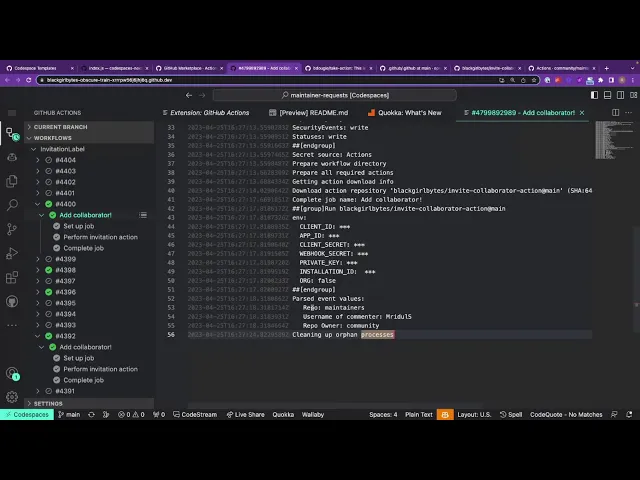
Watch this tutorial to learn how to deploy a website using GitHub Pages:
Final revision checklist#
[ ] GitHub Pages serves static files only.
[ ] User site repo must be <username>.github.io.
[ ] Project site URL is /<repo>/.
[ ] Simple HTML sites can deploy from branch root.
[ ] Docsify sites work well from /docs.
[ ] Jekyll is built into GitHub Pages for blogs/static sites.
[ ] GitHub Actions is best when a build step is needed.
[ ] .nojekyll disables Jekyll processing for the published folder.
[ ] Project sites need correct base paths.
[ ] Custom domains need DNS + Pages settings + HTTPS.
[ ] GitHub Pages is not for backend servers, databases, or secrets.
[ ] For every update: edit → commit → push → check Pages/Actions.