Model Context Protocol (MCP)#
MCP is a standard way for AI applications to connect to external tools and data sources.
Instead of writing a different integration for every AI application, a developer can build one MCP server that compatible applications can use. MCP standardizes the connection; it does not replace access control, product design, or ordinary API design.
Videos#
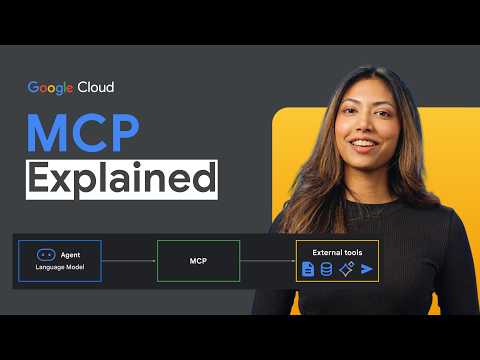

Architecture#
flowchart LR
    U[User] --> H[AI application / host]
    H --> C[MCP client]
    C <-->|MCP messages| S[MCP server]
S --> D[(Files, database, or API)]| Part | Meaning |
|---|---|
| Host | AI application used by the user. |
| Client | Connection from the host to one server. |
| Server | Program that exposes tools or data. |
| Transport | How messages travel between client and server. |
Main server features#
| Feature | Purpose | Example |
|---|---|---|
| Tools | Perform an action or calculation | Create issue, query database |
| Resources | Provide read-only context | File, record, API response |
| Prompts | Provide a reusable prompt template | Review this code |
MCP also supports optional client features such as roots, sampling, and elicitation. Learn these after the three core server features.
Transports#
| Transport | Use |
|---|---|
| stdio | Local server launched as a process |
| Streamable HTTP | Remote server reached over HTTP |
Older HTTP+SSE transport is being replaced by Streamable HTTP.
MCP vs other concepts#
| Concept | What it connects |
|---|---|
| Tool calling | Model to a function in its application |
| MCP | AI application to an external capability server |
| A2A | Independent agent service to another agent service |
Security checklist#
- Install servers only from trusted sources.
- Give every server the minimum permissions it needs.
- Show important tool arguments before an action runs.
- Keep secrets out of prompts and tool results.
- Use authentication and TLS for remote servers.
- Treat server output as untrusted data.
- Log calls without storing passwords or tokens.
The connection lifecycle#
An MCP client normally connects, negotiates supported capabilities, and then discovers the server’s tools, resources, and prompts. The host decides what to show the user and when to let the model call a tool. The server remains the authority for its own data and permissions.
Host starts/connects client → initialize and negotiate capabilities
→ list tools/resources/prompts → user or model selects a capability
→ client sends request → server authorizes and responds → host displays result
This explains an important boundary: MCP standardizes communication, but it does not automatically make a server safe, accurate, or authorized. Those are still product and server responsibilities.
Choosing the right feature#
| If the user/model needs… | Prefer | Why |
|---|---|---|
| A calculation or a controlled action | Tool | It has typed input and can validate permissions |
| A known read-only item | Resource | It has a stable URI and no side effect |
| A reusable guided task | Prompt | It gives users a consistent starting template |
| A live changing list | Tool or resource template | The server can fetch it when requested |
For example, customer://123 can be a resource only if access checks happen
before returning it. find_customers(name) should be a tool because it accepts
a query and may need rate limits and result filtering.
Local versus remote servers#
stdio is simple for a local trusted integration: the host launches the
process and communicates over standard input/output. It is not a reason to
skip review—local servers can still read files or call services using the
user’s permissions.
Use Streamable HTTP when the server is shared or hosted remotely. It needs normal web-service controls: TLS, authentication, token validation, rate limits, logging, request size limits, and a clear tenant boundary. Do not expose a development server to the internet merely to make it convenient to connect.
Practical design rules#
- Keep tool names and schemas stable; version or deprecate intentional changes.
- Return compact structured results with source and timestamp when data can change.
- Separate read scopes from write scopes, and require confirmation for writes.
- Protect against confused-deputy problems: the server must authorize the actual caller, not only trust a request made by a model.
- Treat resource text and tool results as untrusted data; a document can try to instruct the model to reveal secrets or call another tool.
MCP is most useful when it turns a well-designed existing capability into a reusable integration. It is not a replacement for ordinary API design.
Build a custom MCP server#
Build a server when your own functions or data should work across compatible AI hosts. For one small application used in one place, an in-process function may be simpler.
flowchart LR
    I[Choose one capability] --> B[Build server]
    B --> T[Test its contract]
    T --> C[Connect an AI host]
    C --> O[Observe and improve]
Start with one capability#
Write the contract before writing code:
Tool: get_invoice(invoice_id)
Input: invoice_id is a non-empty string the caller may access
Output: invoice number, status, amount, currency, and issued date
Errors: NOT_FOUND, FORBIDDEN, INVALID_ARGUMENT, TEMPORARY_FAILURE
Side effect: none
This boundary should be clear to the model, host, and developer. Return useful structured data rather than prose intended only for a human.
Small Python server#
The official Python SDK includes a small server framework:
uv init calculator-mcp
cd calculator-mcp
uv add "mcp[cli]"
# server.py
from mcp.server.fastmcp import FastMCP
mcp = FastMCP("calculator")
@mcp.tool()
def add(a: float, b: float) -> float:
"""Add two numbers."""
return a + b
if __name__ == "__main__":
mcp.run() # local stdio serverThe function name, type hints, and docstring help form the tool definition. Start the server locally, inspect the discovered tool, and call it with valid and invalid inputs before connecting a real host:
npx -y @modelcontextprotocol/inspector \
  uv --directory "$PWD" run server.py
For a stdio server, protocol messages must stay on stdout and ordinary logs must go to stderr.
Design resources, tools, and prompts deliberately#
@mcp.tool()                 # model can request an action
@mcp.resource("note://1")  # application can read a named item
@mcp.prompt()               # user can select a reusable template
Use a resource for data with a stable identifier, such as
docs://handbook/leave-policy. Use a tool when a request needs parameters,
computation, authorization, or a side effect: search_handbook(query). Add
only the features the server actually needs.
Authentication, authorization, and operations#
Authentication answers “who is connected?” Authorization answers “may this identity perform this exact operation?” Remote servers should make both checks inside the server or service it calls. A description such as “admins only” is not an access-control mechanism.
- Use narrow scopes such as
invoices:readandissues:write. - Re-check access for the current tenant or record on every call.
- Require confirmation for destructive or public actions.
- Return safe, actionable errors instead of stack traces.
- Log request ID, tool name, caller identity, latency, outcome, and a redacted input summary.
- Pin SDK versions and run contract tests before upgrades.
Test cases worth keeping#
- A valid call returns the documented shape.
- Missing or malformed input is rejected.
- A caller from another tenant receives
FORBIDDENor no record. - A downstream timeout returns a retryable, safe error.
- A destructive tool requires its expected confirmation value.
- A stdio server writes no protocol logs to stdout.
Start with one read-only tool, test it with Inspector, then add capability only when a real user task requires it.