01 - Intro to Web scraping and HTML#
Duration: 1h 33m
Here is an FAQ for the TDS live tutorial:
Q1: What will be covered in this tutorial?
A1: This introductory session will cover the basics of web scraping and HTML. We will explore how websites are structured, how to retrieve specific information from them, and the potential applications of these techniques.
Q2: Who is the instructor for this session?
A2: I’m Amit Kumar Gupta, your TDS TA. I’m also a diploma-level student. I was a TDS TA last term as well.
Q3: Can you give us a brief overview of web scraping?
A3: Web scraping is the process of extracting data from websites. I’ll demonstrate how to use Python with tools like Jupyter Notebook (an offline version of Google Colab) to automate this process. It can save a lot of time compared to manual data collection.
Q4: How long does it take to manually extract data from a web page?
A4: If a web page has, say, 200 links and it takes one minute to copy each, it would take roughly three hours for a slow person, or at least one hour for a very fast person. Web scraping can do this in seconds.
Q5: What are some potential applications of web scraping?
A5: Web scraping has many uses, including:
- Price monitoring: Alerting you when prices change on e-commerce sites like Amazon.
- Weather forecasting: Automatically checking and recording weather at specific times for research projects.
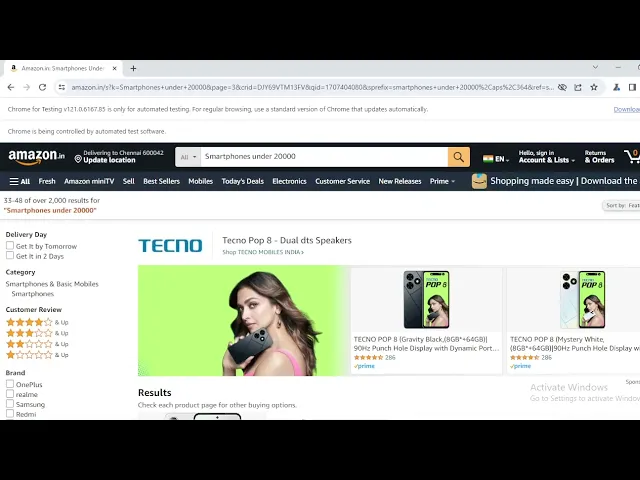
- Research data collection: Gathering specific data points from numerous sources efficiently, for example, collecting details of smartphones under a certain price range from Amazon over multiple pages.
- General data collection: Extracting structured data from websites for analysis (e.g., country names, capitals, populations, and areas from a list of countries).
Q6: What is the significance of using automated scripts for web scraping?
A6: Automated scripts allow you to perform tasks like data extraction without manual intervention. For example, a script can open a browser, navigate to a website, scrape the desired data, and save it to an Excel sheet, all in the background, without you needing to even see the browser. This saves significant time and effort. You can also automate the execution time of scripts using system commands (like in Bash or CMD) to retrieve data at scheduled intervals.
Q7: Is web scraping similar to using macros in Excel?
A7: Yes, there are similarities. Macros in Excel automate tasks within the spreadsheet, and the underlying principles of automating processes can be related. While Excel macros might not handle direct web scraping in the same way, they both aim to automate repetitive actions.
Q8: Can we use Machine Learning (ML) to bypass CAPTCHAs during web scraping?
A8: That’s an interesting idea, and yes, it’s possible to use ML for such tasks. It’s a more advanced topic related to hacking and automation.
Q9: Can we get the recording of this session?
A9: I’m recording this session locally, and I hope it will be made available. I will ask the relevant authorities to upload it.
Q10: What is the basic structure of an HTML page?
A10: An HTML page is built using “tags,” which are elements enclosed in angle brackets (e.g., <HTML>). Most tags need to be opened and closed (e.g., <HTML> and </HTML>).
The basic structure includes:
<HTML>: The root element.<HEAD>: Contains meta-information about the HTML document, like the page title.<TITLE>: Sets the title that appears in the browser tab.<BODY>: Contains all the visible content of the web page.
Q11: How do I create a simple HTML web page?
A11:
- Open Notepad (or any text editor).
- Type the following code:
<html> <head> <title>Amit TDS</title> </head> <body> <h1>Intro</h1> <p>Hello, I am Amit. I am a TDS TA. I am here at IIT Madras.</p> </body> </html> - Save the file as
demo_html.html(making sure to select “All Files” for the file type, not “.txt”). - Open the saved file in your web browser. You should see “Intro” as a large heading and the paragraph content.
Q12: How do I add a new line within a paragraph in HTML?
A12: HTML generally ignores extra spaces or line breaks in the code. To force a new line, you can use the <BR> tag (for “break rule”). It’s a standalone tag and doesn’t require a closing tag.
Q13: How do I add different heading sizes in HTML?
A13: HTML provides six levels of headings, from <h1> (largest and most important) to <h6> (smallest and least important). You use them like this: <h1>My Heading</h1>. If you try to use <h6> or higher, it will appear as a normal paragraph text.
Q14: How do I add a horizontal line separator in HTML?
A14: You can use the <HR> tag (for “horizontal rule”). Like <BR>, it’s a standalone tag and doesn’t require a closing tag.
Q15: How do I include a clickable link in an HTML page?
A15: You use the anchor tag (<a>) along with the href (hyperlink reference) attribute. The href attribute specifies the URL the link should point to.
Example: <a href="[URL]">Link Text</a>.
Q16: How can I display an image in an HTML page?
A16: You use the <img> tag along with the src (source) attribute, which specifies the path to the image file. It’s best to place the image file in the same folder as your HTML file for easy referencing. You can also specify width and height attributes to control the image size.
Example: <img src="image.jpg" width="200" height="150">.
Q17: How do I add comments in HTML code?
A17: You can add comments using <!-- Your comment here -->. This text will not be displayed on the web page.
Q18: What is the purpose of the <BODY> tag? Is it always necessary?
A18: The <BODY> tag contains all the visible content of the web page. While HTML is forgiving and might still display content without it, it’s considered good practice to always use it. This helps other developers understand your code structure and ensures proper rendering across different browsers and devices.
Q19: How do I create a table in HTML?
A19: You use the <table> tag. Inside the table, you define rows using <tr> (table row) tags. Within each row, you can define table data using <td> (table data) for regular cells or <th> (table header) for header cells.
Example:
<table>
  <tr>
    <th>Name</th>
    <th>Class</th>
    <th>Subject</th>
  </tr>
  <tr>
    <td>Radha</td>
    <td>Diploma</td>
    <td>TDS</td>
  </tr>
</table>
You can also add a border attribute to the <table> tag (e.g., <table border="1">) to make the table visible.
Q20: How do I create a list in HTML?
A20: You can create two types of lists:
- Unordered List (
<ul>): Displays items with bullet points. - Ordered List (
<ol>): Displays items with numbered or lettered points.
Inside both <ul> and <ol>, you use <li> (list item) tags for each item. You can also nest lists within other lists.
Example:
<ul>
  <li>Apple</li>
  <li>
    Mango
    <ol>
      <li>Mango Shake</li>
      <li>Mango Candies</li>
    </ol>
  </li>
</ul>
Q21: How can I debug or check for errors in my HTML code?
A21: For simple Notepad files, there isn’t a built-in debugger. You’ll have to manually review your code. However, more advanced text editors like VS Code offer live error checking and suggestions.
Q22: How can I inspect a live website’s HTML structure?
A22: Most browsers allow you to “Inspect” elements. Right-click on any part of a web page and select “Inspect” (or “Inspect Element” / “Developer Tools”). This will open a panel showing the underlying HTML, CSS, and other code, allowing you to see how the visual elements correspond to the code.
Q23: Can I modify the content of a live website using the inspect tool?
A23: Yes, you can temporarily edit the HTML, CSS, or JavaScript of a live website using the “Inspect” tool. Double-clicking on an element in the Elements tab allows you to edit its content or attributes. You can even replace images or change text. However, these changes are only local to your browser session and will disappear if you refresh the page.
Q24: What is the “Network” tab in the browser’s developer tools used for?
A24: The “Network” tab monitors all network traffic between your browser and the web server. It shows requests for HTML, CSS, JavaScript, images, and other resources. You can see:
- Headers: Information about the request and response.
- Preview/Response: The actual content received from the server.
- Timing: How long each resource took to load.
- API calls: It also shows specific API (Application Programming Interface) calls made by the website to fetch dynamic content.
Q25: What is an API (Application Programming Interface)?
A25: An API acts as an intermediary that allows different software applications to communicate with each other. In web scraping, APIs are often used by websites to dynamically load data. They provide a structured way to request specific information from a server without exposing the entire database. Think of it as a waiter in a restaurant (the API) taking your order (request) to the kitchen (server) and bringing back your food (data).
Q26: What are “cookies” in the context of web browsing?
A26: Cookies are small pieces of data that websites store on your computer. They are used to remember information about you, such as your login status, browsing preferences, or items in a shopping cart. We will discuss cookies in more detail in a future session.
Q27: Is there a better tool than Notepad for writing HTML code?
A27: Yes, tools like Visual Studio Code (VS Code) are much better. They offer features like:
- Autocompletion: Automatically suggests and closes tags.
- Indentation: Organizes your code visually.
- Syntax highlighting: Colors different parts of your code for readability.
- Integrated terminal: Allows running commands directly.
- Extensions: Adds vast functionalities for different languages and tasks.
Q28: What is the difference between HTML and Python?
A28: HTML is a markup language used for structuring content on the web (like creating headings, paragraphs, and images). Python is a general-purpose programming language used for various tasks, including calculations, data analysis, web scraping, and scientific computing. HTML focuses on presentation, while Python focuses on logic and functionality.
Q29: What is CSS and how is it related to HTML?
A29: CSS (Cascading Style Sheets) is used for styling HTML elements. While HTML provides the structure of a web page, CSS controls its appearance (colors, fonts, layout, etc.). If HTML is the skeleton, CSS is the skin and clothing.