TA session 14 July : ROE intro and strategy#
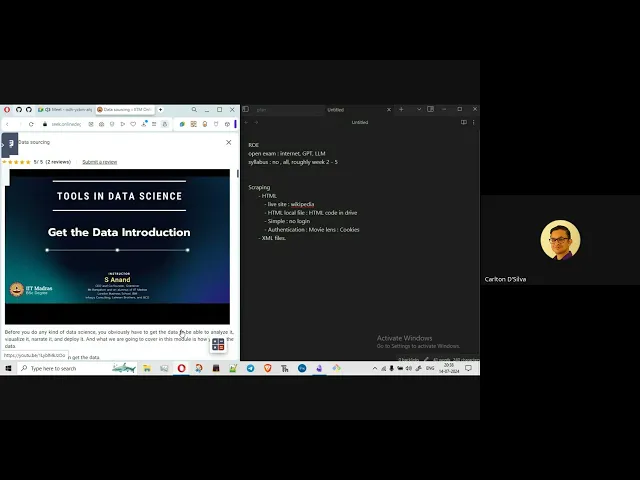
Duration: 1h 15m
Here’s a detailed FAQ based on the provided transcript, summarizing student questions and instructor answers in a conversational style.
Tools in Data Science (TDS) - ROE FAQ#
Q1: What exactly is ROE? Is it an open-book exam?
A1: ROE stands for “Review of Everything”. It’s an open-book exam, which means you can use any resources you want. You can ask a friend to sit with you, use ChatGPT, Google, or anything else you find helpful.
Q2: When will the ROE exam be held?
A2: The ROE date hasn’t been finalized yet. It won’t be in the next week, but possibly in two weeks. It’s likely to be after the OOP exam, possibly between the 23rd and 28th of the month, but this isn’t confirmed.
Q3: What’s the syllabus for ROE?
A3: There’s no specific syllabus for ROE. Essentially, everything you’ve studied throughout the course is fair game. For now, you can assume it covers weeks 1 to 5.
Q4: Will the ROE exam focus more on theory or practical application?
A4: ROE is a practical exam, so you don’t need to focus on theory. The questions will be practical, focusing on what you can actually do with the tools and techniques.
Q5: What kind of questions can I expect in ROE? Do I need to upload files?
A5: The questions will likely be multiple-choice (MCQ) or numerical/short answer questions where you just need to enter a number, a single word, or a string. You will not be asked to upload Google Sheets, Excel files, or Google Colab files. You just need to find and input the answer.
Q6: What is the most important topic for ROE?
A6: Scraping is extremely important. Based on past ROE exams, scraping is consistently the most significant part.
Q7: What are the different types of scraping I should be prepared for?
A7: You should be prepared for HTML, XML, PDF, Parquet, and SQL file scraping.
Q8: For HTML scraping, what are the different scenarios I might encounter?
A8: With HTML, you’ll generally encounter two scenarios:
- Dynamic/Live Website: This is a website accessible on the internet (like Wikipedia). You’ll get a URL and need to scrape data directly from the live site.
- Local HTML File: You’ll be given a link to a drive folder containing an HTML file. You’ll need to download it and work with it locally.
Q9: If I’m given a local HTML file, what’s the best way to handle it?
A9: It’s recommended to download the HTML file as soon as you get the drive link and work on it in your local Jupyter environment. Uploading large files to Colab can take a lot of time, and you might lose progress if the tab closes. Working locally can save you time and frustration.
Q10: Are all live websites simple to scrape, or are there challenges?
A10: Not all live websites are simple. While some (like Wikipedia) don’t require login, others might have complex structures, many ads, or require authentication (like MovieLens, which needs cookies). Don’t assume all simple-looking websites will be easy.
Q11: What about XML scraping?
A11: XML scraping was included in a previous term. It’s covered in an optional session, but the “optional” parts are actually very important. You should review the “XML introduction and scraping” session.
Q12: And PDF scraping?
A12: PDF scraping has been a consistent feature in the last five ROE exams. PDFs often contain tables. If the tables are well-structured, you can use tools like tabula (in Python) or directly import data into Excel. However, some PDFs are “dirty” (not well-formatted, like election commission data), making scraping more challenging.
Q13: What tools can help with difficult PDF files?
A13: I find ilovepdf.com to be very useful, especially its “PDF to Excel” converter. It’s a great tool, but you’ll still need to do a lot of cleaning afterward. Remember, the goal is to get the answers, so use any method that works.
Q14: Are there any other online tools I can use for file conversions?
A14: Yes, there are many online converter tools that can convert JSON, XML, CSV, or other formats to Excel. Just be aware that these tools often have limits on file size (e.g., 25MB or 10MB). It’s always better to know the raw techniques in case online tools aren’t sufficient.
Q15: What is Parquet file scraping?
A15: Parquet files are a new addition this term. I don’t have much experience with them, but it seems you can import them using Pandas along with the pyarrow library. It’s essentially another data format that you import into a simple DataFrame for processing.
Q16: What about SQL files?
A16: SQL files and database concepts are also new this term. If you’ve completed DBMS, you’ll know SQL. Otherwise, there are dedicated sessions on it. You can convert SQL data to a DataFrame and then to a CSV for easier handling.
Q17: Is there any specific strategy for tackling questions related to previously covered datasets (e.g., BBC weather, IMDb, Nominatim)?
A17: These are “ready-made” files and concepts that have been explored in lectures. They might ask simple questions about them, like “In which year was this movie released?” or “What’s the location ID for Delhi?”
My suggestion is to create a single Colab notebook with different cells containing the code for these services. Before the exam, run the notebook once to ensure it’s ready. Then, during the exam, you can quickly input specific queries (e.g., “Delhi,” “Mumbai”) and get answers without debugging.
Q18: What are some examples of questions they might ask about these ready-made datasets?
A18:
- BBC Weather: Location API, location code/ID, minimum/maximum temperature.
- IMDb: Year of a movie, popularity, tags.
- Nominatim: Latitude, longitude, distance between two cities, city name given lat/long.
They might ask complex questions like finding the minimum distance among four city pairs, which means running your code multiple times for different inputs.
Q19: Should I just copy the code from the instructor’s notebook?
A19: No, you should write the code yourself. Don’t just copy-paste. Understand why each line of code is there. For example, with Nominatim, you often need to provide a “user-agent.” If everyone uses the same user-agent (by copying), the server might revoke access due to suspicious activity. Creating your own notebook ensures you understand the code and can troubleshoot it.
Q20: What general skills are important beyond just scraping?
A20: Once you’ve scraped data and it’s in a tabular format, you need strong skills in:
- Pandas: For opening files (CSV, HTML, PDF, Excel), understanding DataFrames, working with specific columns, using
unique(),filter(),value_counts(), and findingnullvalues. - Excel/Google Sheets: For applying filters, using pivot tables, sorting, and searching. These are incredibly useful for verifying answers and complex analysis.
- Data Cleaning: Text-to-column conversion,
trim()function (to remove unnecessary spaces), and proper use of delimiters. - Mathematics: Finding average, mean, median, most frequent values, ratios, etc.
- Python Data Structures: Handling lists (accessing nested lists), dictionaries (using key-value pairs).
- Sets: Finding elements present in one set but not another, or intersections.
Q21: How can ChatGPT help me with these skills?
A21: You can “train” a ChatGPT chat. Open a single chat and consistently use it for all your TDS-related queries and coding practice. Over time, that specific chat will learn your preferences and context, allowing it to provide more relevant and efficient answers, saving you a lot of time.
Q22: Should I expect to predict or forecast data in ROE?
A22: While there’s a “Forecasting in Excel” section, I haven’t seen questions asking for prediction. However, always be prepared for anything.
Q23: What about outlier detection?
A23: You should know how to find outliers. While you could calculate IQR manually, it’s better to have a Python code snippet (or use a mathematical search engine like wolframalpha.com) ready in your notebook.
Q24: What is the last week of content about (Week 5)?
A24: Week 5 is entirely new this term, so it’s a bit of an unknown. It covers LLM (Large Language Model) extraction, sentiment analysis, and embeddings. Since it’s new, I strongly suggest you pay extra attention to it. Prepare a dedicated notebook with basic code snippets for LLM sentiment analysis and extraction. They might ask specific questions like how much “token” a query takes, or questions based on given city/district names to find pin codes using LLM.
Q25: Will I be tested on creating charts or visualizations?
A25: No, you will not be asked to create charts.
Q26: What’s the best approach to prepare for ROE given its broad scope and open-book nature?
A26:
- Find the data: Scraping (HTML, XML, PDF, Parquet, SQL) is paramount.
- Clean and manipulate data: Use Pandas, Excel/Google Sheets, and Python data structures effectively.
- Prepare “ready-made” notebooks: Create a single Colab notebook with well-organized cells containing tested code for common tasks (e.g., BBC weather, IMDb, Nominatim, PDF conversions, outlier detection, LLM basics). Run it before the exam.
- Practice filtering/pivot tables: These are crucial for extracting specific answers from large datasets.
- Master basic math operations: Mean, median, mode, ratios, etc.
- Read instructions carefully: Pay close attention to output format requirements (e.g., “comma-separated without spaces”).
- Don’t lose your cool: ROE can feel like a high-pressure interview. Stay calm, use your resources efficiently, and remember that some difficult questions might be early in the exam.
- Leverage AI tools: ChatGPT (with a dedicated chat for TDS), GitHub Copilot, VS Code AI tools, and mathematical search engines can be powerful allies.
- Attend or monitor Discord/GMeet: Important announcements or live Q&A sessions might happen during the exam.
Q27: Is it true that a mock ROE will be provided?
A27: The instructor mentioned that a mock ROE might be provided. While it won’t perfectly replicate the pressure of the real exam, it can help you get a feel for the format and types of questions. We’ve asked the instructor to confirm and provide more details to the students.
Q28: Is the ROE grading fair even if I’m not familiar with specific tools?
A28: Your choice of tools is up to you. As long as you can produce the correct answer, that’s what matters. You won’t be penalized for using a specific tool or method, as long as it gets you to the right solution.
Q29: Will the ROE exam be invigilated via Google Meet?
A29: No, there’s no proctoring like opening your camera or microphone. They will open a Google Meet for asking questions or announcements, and a Discord thread for immediate support. You’re encouraged to attend or monitor these channels for any updates.
Q30: Will you share the notes you’ve made during this session?
A30: No, these specific notes will not be shared. You should make your own notes as you follow along. The content being discussed is what’s important, not the exact format of these notes.
Q31: Will the project deadline be extended?
A31: No, there’s currently no information about the project deadline being extended. It’s still set for the 21st. The instructor noted that students still have more than 10 days to complete it.