TA’s Session TDS – 2024 10 06 19 54 IST – Recording#
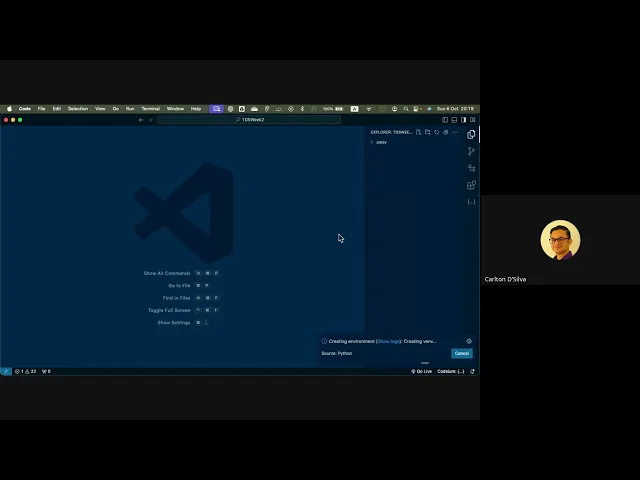
Duration: 1h 35m
Here’s an FAQ based on the live tutorial:
Q1: My filtering code isn’t returning the correct answer even after I tried adjusting the date (increasing and decreasing it). Can you help me identify common filtering mistakes?
A1: This indicates a filtering issue in your code. Common mistakes we’ve observed include:
- Size Filtering: Accidentally using block sizes instead of bytes when filtering by file size.
- Date Filtering: Misinterpreting how the
lscommand displays dates for files in the current year. For current-year files,lstypically shows only the month and day, omitting the year. If your filtering logic doesn’t account for this omission, it might incorrectly exclude current-year data. You need to ensure your code can correctly parse and compare dates regardless of whether the year is explicitly present in thelsoutput format.
Q2: I had trouble with the GA0 JSON question (Q5) about finding a hidden element. Can you explain how to approach this kind of problem using developer tools?
A2: This question specifically tests your understanding of HTML structure and how to use browser developer tools.
- Using Dev Tools: First, right-click on the webpage and select “Inspect” to open the developer tools. Then, use the “select element” icon (usually in the top-left corner of the dev tools panel, looks like a pointer) to click on visible elements on the page, such as the paragraph or the heading. This will highlight their corresponding HTML in the Document Object Model (DOM) panel.
- Identifying Hidden Elements: The question asked you to find an element located between a visible heading (
<h2>) and a visible paragraph (<p>). By inspecting around these elements in the DOM, you would eventually find adivtag that was present in the HTML structure but not visually displayed on the page. Thisdivelement was hidden using CSS styling. The actual “hidden element” requested was the specific content (like a hexadecimal ID) inside thatdivtag.
Q3: My Python code for the GA0 question ran, but the answer was incorrect (I got 86). What are common Python issues for the course, and what are the best practices for setting up a Python environment?
A3: While your code might have had a specific logic error, understanding best practices for Python development is crucial for this course.
- Recommended Environment: I highly recommend using VS Code (Visual Studio Code) for running your Python code. While Google Colab is convenient for quick tests, VS Code offers more control, which is beneficial for development.
- Virtual Environments (Crucial!): Always, always work within a virtual environment (
.venv).- How to Create: In VS Code, open the Command Palette (Cmd/Ctrl+Shift+P), type “Python: Create Environment,” and select “Venv.” Then choose the latest Python version.
- Why: Installing Python libraries directly onto your system can cause conflicts or “break” your Python installation. Virtual environments isolate your project’s dependencies. If a library within your virtual environment causes issues, you can simply delete the
.venvfolder, recreate it, and reinstall your dependencies without affecting your main system or other projects. - Code vs. Environment: Your Python code file sits outside the
.venvfolder. The virtual environment merely provides the necessary libraries to your code when it runs. Deleting.venvdoes not delete your code file.
- Restoring Environments: To ensure reproducibility, use
pip freeze > requirements.txtin your terminal. This command saves a list of all installed libraries and their exact versions into arequirements.txtfile. If your.venvis ever deleted or you need to set up the exact same environment elsewhere, you can recreate a new virtual environment and then runpip install -r requirements.txt. VS Code can even prompt you to do this automatically when opening a project with arequirements.txtfile.
Q4: How do I solve the GA0 problem of counting Wednesdays between two dates using Python?
A4: The problem requires using Python’s date/time manipulation. Here’s the general approach and a common pitfall:
- Logic: You’ll need to loop through the dates from the start date to the end date, checking the weekday for each.
- Weekday Numbering: A common mistake is misidentifying the correct numerical value for Wednesday. If your system (or Python’s
datetimemodule) considers Sunday as 0, then Wednesday would be 3. Always verify your specific system’s weekday mapping (0-6) to ensure your comparison is accurate. - Optimization: For better performance, once you’ve found the first Wednesday, you can optimize your loop to increment the date by 7 days at a time (instead of 1) to find subsequent Wednesdays. This reduces unnecessary iterations.
Q5: I’m unfamiliar with JSON. How does it work, and how do I sort data within it? Also, how do I output JSON without spaces?
A5: JSON (JavaScript Object Notation) is a widely used, human-readable data exchange format.
- Structure: JSON is built on key-value pairs, much like Python dictionaries, and can also contain lists. You’ll often find nested structures of dictionaries within lists, or lists of dictionaries.
- Extraction: You extract data from JSON in Python using standard dictionary and list access methods (e.g.,
data['key']ormy_list[0]['another_key']). - Sorting: To sort JSON data (which is treated as Python dictionaries/lists once loaded), use Python’s
sorted()function. For sorting by multiple criteria (e.g., first by ‘age’ then by ’name’ for ties), use alambdafunction as thekeyargument, specifying a tuple of the desired attributes:sorted_data = sorted(data, key=lambda x: (x['age'], x['name'])). - No Spaces in Output: To output a JSON string without spaces (a common requirement for certain APIs or compact storage), use
json.dumps()with theseparatorsargument:json_output = json.dumps(sorted_data, separators=(',', ':')).
Q6: How do HTTP requests work, and how can I use a tool like Thunder Client to test them?
A6: HTTP (Hypertext Transfer Protocol) is the foundation of data communication on the web.
- HTTP Requests:
- GET Request: This is what your browser sends when you navigate to a website (e.g.,
google.com). It’s a request to retrieve data. It carries some information about your browser, IP, etc. - POST Request: This is used to send data to a server (e.g., submitting a form, uploading a file). The data is typically included in the “body” of the request, making it less visible than data in a GET request URL.
- GET Request: This is what your browser sends when you navigate to a website (e.g.,
- Thunder Client (VS Code Extension): Thunder Client is a powerful tool (similar to Postman) integrated into VS Code that allows you to send and test HTTP requests.
- Creating Requests: You can create “New Requests” within Thunder Client.
- URL-Encoded Parameters: For requests requiring parameters to be embedded in the URL (like
?email=...&solve=...), use the “Query” section in Thunder Client. It automatically formats the URL correctly. - Headers vs. Body: Be careful not to confuse URL parameters with “Headers” (which carry metadata like content type) or “Body” (for sending data in a POST request).
- Responses: Thunder Client displays the server’s full response, including response headers (e.g.,
Content-Length) and the response body. This allows you to inspect exactly what the server sends back. Thunder Client will be very useful for testing your requests in GA0, ROEs, and future assignments.
Q7: Why do we need to learn JavaScript for web scraping, and how can I get started with it?
A7: JavaScript is essential for scraping modern, dynamic webpages.
- Dynamic Content: Many websites load their content dynamically using JavaScript after the initial page HTML is fetched. Traditional scraping tools that only read the initial HTML might miss this content. Since JavaScript runs in your browser, it can interact with and extract this dynamically loaded data.
- Recommended Video & Cheat Sheet: I highly recommend watching the video “Scraping IMDb with Browser JavaScript” (refer to your course materials for the link). This video covers everything you need to know. It also provides a “cheat sheet” of common JavaScript commands.
- Key Concepts:
- Browser Console: You’ll use your browser’s developer console (right-click -> Inspect -> Console tab) to run JavaScript commands directly on a webpage.
- Query Selectors: Learn
querySelector($) andquerySelectorAll($$) to select specific HTML elements based on their CSS selectors (tags, classes, IDs). - Extracting Data: Once elements are selected, you can extract their attributes (e.g.,
element.attributes.data-value.nodeValue) or text content (e.g.,element.innerText). - Mapping/Iterating: JavaScript’s
map()function (similar to Python’slambda) is useful for processing multiple selected elements and extracting specific data from each.
- CSS Selectors: Understanding CSS selectors is fundamental. I strongly urge you to study the W3Schools resource on CSS selectors (up to “Combinators”) provided in your course materials. This knowledge will enable you to precisely target the elements you need to extract.
Q8: Can cookies be used for web scraping?
A8: While some data might come from cookies, cookies are not a universal solution for all web scraping scenarios. Many dynamically generated pages produce data through scripts that don’t rely on cookies. Other methods, like asynchronous fetches (fetch requests), might be used to get data without involvement of cookies. So, for most advanced web scraping, relying solely on cookies will be insufficient.
Q9: Why do we need to learn JavaScript for web scraping if Python tools like Beautiful Soup exist, and will course questions require paid Excel features? What’s the overall goal?
A9:
- JavaScript for Dynamic Content: JavaScript is crucial for scraping modern, dynamic webpages. Many sites load content after the initial HTML, using JavaScript. Traditional Python tools might not see this. JavaScript, running in the browser, can interact with and extract this dynamically loaded data directly from the DOM.
- Excel: We teach Excel because it’s an industry standard. However, graded questions generally won’t require paid Excel features. Our focus is on open-source tools where possible.
- Open Source Focus: For web scraping, we emphasize open-source alternatives. For example, for tasks like scraping into spreadsheets, we show how to use Google Sheets (
importHTML) or Python libraries, as opposed to solely relying on Excel. - Industry Readiness: The overall goal of TDS is to make you industry-ready. While diploma courses cover theory, TDS provides practical tools and skills (like JS scraping, virtual environments, Thunder Client) that are immediately applicable in the workplace, moving beyond purely theoretical knowledge.