TAs Session - 2024 10 17 20:09:44#
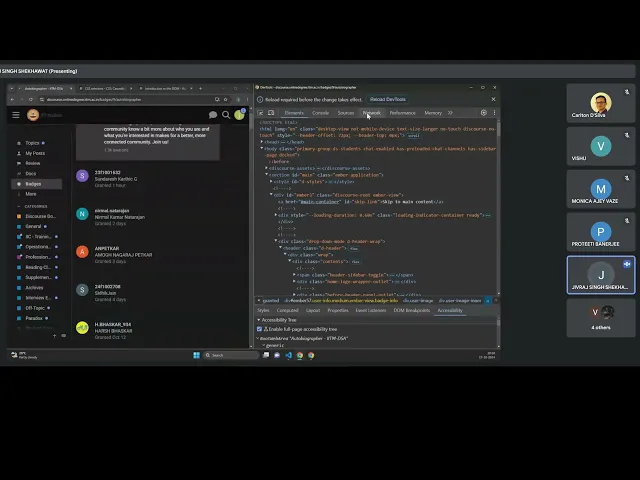
Duration: 1h 50m
Here’s an FAQ based on the provided transcript:
Q1: What’s the main problem we’re trying to solve today?
A1: We want to extract specific information from a website, like how many students or instructors have received a particular badge, or details about the users themselves. We can’t do these calculations directly in the browser.
Q2: How will we achieve this?
A2: We’ll extract the raw data from the website directly to our local computer. Once the data is on your machine, you can use Python or any other tool to process it and answer your questions.
Q3: How is data structured on a webpage?
A3: Webpage data is typically organized in a Document Object Model (DOM). Think of it like a tree-like structure where data is stored in various tags, such as HTML, head, body, paragraph, and anchor tags.
Q4: Is this session being recorded and will it be available later?
A4: Yes, the session is being recorded, and it will be uploaded and available after it concludes.
Q5: I’m trying to get data using Python, but I’m not getting the expected information. What could be wrong?
A5: You’re likely not sending the necessary cookies with your request. Without cookies, the server might redirect you to a login page or provide an incomplete response, as it can’t identify your session.
Q6: How do I get the cookies from my browser to use in Python?
A6: You can access the browser’s developer tools (right-click -> Inspect). Go to the “Network” tab. Refresh the page, then inspect any of the requests made. In the “Headers” section of the request, you’ll find the “Cookie” string. Copy this string.
Q7: Why are cookies so important for data extraction?
A7: Cookies store session-specific information. When you log in to a website, the server generates cookies and stores them locally in your browser. These cookies authenticate your session. Without them, your request from Python looks like a new, unauthenticated visit, and the server won’t provide the personalized or logged-in user data.
Q8: How do I use the copied cookie string in my Python code?
A8: You’ll need to format the copied cookie string into a Python dictionary. The cookie string consists of key-value pairs separated by an equals sign and then by semicolons. You’ll parse this string into a dictionary, where each key-value pair becomes an item in the dictionary. Then, you pass this dictionary as the cookies parameter in your requests.get() call.
Q9: The website uses “lazy loading,” so I only get 100 users initially. How can I get data for all users?
A9: Websites using lazy loading only load more content as you scroll down. To get all data, you need to simulate scrolling to the end of the page. As you scroll, the browser sends new requests to load more data. You’ll need to identify the API endpoint that loads additional users upon scrolling and then repeatedly call that endpoint with appropriate offset or page parameters until all data is retrieved.
Q10: After fetching the data, how do I extract specific information like user IDs, names, badge descriptions, or the number of people awarded a badge?
A10: Once you have the HTML/XML response in Python (using Beautiful Soup to prettify it):
- Identify relevant HTML tags: Use your browser’s developer tools to pinpoint the specific HTML tags (e.g.,
div,span,a,h1) and their attributes (e.g.,id,class) that contain the information you need (like “autobiographer badge” details, user IDs, or badge counts). - Use Beautiful Soup’s
find()orselect(): In Python, use Beautiful Soup methods likesoup.find()orsoup.select()with CSS selectors based on the identified tags and attributes to navigate the DOM and extract the desired text or attribute values. For example, to get a user’s name, you might target a<span>tag within a specific<div>that holds the username.
Q11: What if I’m trying to extract data from a static website that doesn’t send dynamic requests to the backend?
A11: For static websites where all content is loaded initially without extra network requests on interaction (like scrolling), you don’t need to worry about dynamic API calls. You simply fetch the initial page’s HTML, and all the visible data will be present in that single response. Then, you can parse this HTML using Beautiful Soup as demonstrated.
Q12: What if the website uses CAPTCHA or requires login that I can’t bypass programmatically?
A12: This is a more advanced challenge. While I haven’t shown how to handle CAPTCHA specifically in this session, if a website requires you to log in, you must provide the correct authentication (like passing cookies as we discussed). If you can’t get past CAPTCHA or login via code, you might need to explore browser automation tools (like Selenium) that can interact with the webpage more like a human user, including filling forms or solving CAPTCHAs, before scraping the data.
Q13: Will the code notebook for this session be shared?
A13: I will inform the team to make it available. (Initially, I suggested you code along, but I understand it might be challenging to keep up.)
Q14: Will these types of sessions be held every Thursday?
A14: Yes, we will be having sessions on Thursdays and Sundays moving forward.
Q15: How was today’s session? Was it useful?
A15: (Student responses varied, generally positive) “Very good sir. Yes sir, useful.” (Some mention using it as a refresher).
Q16: (Follow-up) I haven’t completed the Madhvan programming assignment yet. Will this session help?
A16: Yes, this session covers how to extract data from webpages, which is a fundamental skill that will be useful for many programming assignments, including Madhvan.