TA’s Session TDS – 2024 10 24 19 50 IST – Recording 2#
Duration: 2h 41m
Here’s a summary of the live tutorial’s Q&A, formatted as an FAQ:
Q1: Are the project questions different for each student? A1: The questions themselves are generally the same, but the specific datasets you’ll work with (like city names and followers) will differ.
Q2: Should I upload all my code or just the analysis part for the optional submission? A2: It’s up to you what code you upload for the optional part; a notebook is fine. The optional section is for you to demonstrate your analytical skills beyond just answering the direct project questions. You can include any interesting analyses or insights you discover from the data, even if they aren’t directly related to the objective questions. For instance, you could analyze what makes a profile “hireable” or look for trends.
Q3: When cleaning company names, if a user has multiple companies listed (e.g., “Tata Motors, Tata Sons”), should all “@” symbols be removed? A3: Yes, you should remove all leading “@” symbols. If you encounter multiple companies listed, please post that on Discourse as it’s an edge case we might need to address internally.
Q4: Does the repository for the project files (like users.csv, repositories.csv, README.md) need to be private or public?
A4: The repository must be public. This is necessary for us to access and evaluate your work.
Q5: Can I edit the README.md file after I’ve submitted the project (specifically, after clicking the submit button on the page)?
A5: Yes, you can edit your README.md file after submitting it on the page. However, no changes should be made once the final submission deadline has passed.
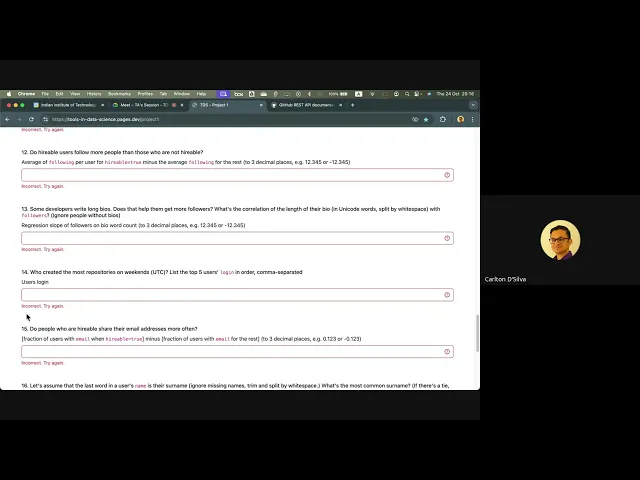
Q6: For Question 13, are we supposed to use “word count” for the bio, and does “word count” include symbols? A6: This is a common question, and we’re currently having the same issue internally with the validation script for Question 13. We believe there might be an error in the script. We will clarify the exact expectations for Question 13 and make an official announcement on Discourse very soon. Please do not rely on the “check answers” button for this specific question for now.
Q7: How do I create a GitHub API token, and why is it necessary? A7: To create a token:
- Go to your GitHub profile icon.
- Click on “Settings”.
- Scroll down to “Developer settings”.
- Select “Personal access tokens”, then “Tokens (classic)”.
- Click “Generate new token” and choose “Classic token”.
- Follow the prompts for authentication, permissions, and duration. After creation, you’ll receive a long hash key; this is your API token.
Using a token is crucial because without it, the GitHub API severely limits your requests (e.g., 60 requests per hour). With a token, this limit increases significantly (e.g., 5000 requests per hour). This prevents you from hitting rate limits while scraping data.
Q8: If I make multiple API requests, will I receive all data in a single response, or do I need to send separate requests for different sets of data? A8: The GitHub API typically returns a maximum of 100 results per request. If you need more data (e.g., 700 users), you’ll have to send multiple requests, changing a parameter (like the page number) each time to retrieve the next set of 100 results. If you don’t change the parameter, the API will send you the same 100 results repeatedly. The API response itself will indicate the total number of users you should expect.
Q9: How many rows of data are required for the project? A9: The number of required rows will vary depending on your specific dataset and the filters applied. The API response will contain information indicating the exact number of users you should expect to retrieve for your particular filters. For instance, a dataset might have 300, 400, or even 700 users.
Q10: Should I make my GitHub repository public or private? A10: Your GitHub repository must be public. This is necessary for the instructors to access and evaluate your project. If it’s private, we won’t be able to view your submission.
Q11: Will the due date of project 1 be extended? A11: The project deadline is November 17th, from 1:00 PM to 1:45 PM. There are no plans for an extension.
Q12: How was the session today? A12: I learned about Beautiful Soup. I usually watch the lectures and see the instructor demonstrate, but I haven’t practiced it myself.
Q13: If I request data from the GitHub API and encounter an error, does that count towards my API rate limit? And how can I effectively manage rate limits to avoid being blocked? A13: Yes, even requests that result in an error typically count towards your API rate limit. To effectively manage this:
- Understand the Limits: GitHub has a rate limit (e.g., 5000 requests per hour, 900 per minute, 100 concurrent requests per endpoint).
- Don’t Hit the Exact Limit: Even if your code respects the
2-seconddelay specified by GitHub, network latency and server queues can cause multiple requests to arrive at GitHub simultaneously, exceeding your limit. It’s recommended to add some buffer (e.g., use a3-seconddelay instead of2or aim for significantly less than the 5000 requests per hour). - Implement Error Handling and Logging:
- Try-Except Blocks: Wrap your API calls in
try-exceptblocks. If an error occurs (e.g., a request fails), you can catch the exception. - Logging: When a request fails, log the details (e.g., timestamp, API endpoint, user ID, specific error message) to a file.
- Retries: Instead of immediately stopping or trying again randomly, use the logged information to understand which requests failed. You can then selectively retry only the failed requests later. This conserves your rate limit by not re-sending requests that already succeeded.
- Check Response Headers: The API response headers (e.g.,
X-RateLimit-Limit,X-RateLimit-Remaining,X-RateLimit-Reset) provide real-time information on your current rate limit status, including how many requests you’ve used, how many are left, and when the limit resets. Use this to dynamically adjust your request frequency.
- Try-Except Blocks: Wrap your API calls in
By following these practices, you can effectively manage your API requests, troubleshoot issues, and avoid being blocked by rate limits.