TA’s Session TDS – 2024 11 07 19 58 GMT+05 30 – How to hack Project 1 and possibly ROE, pdf scrapi#
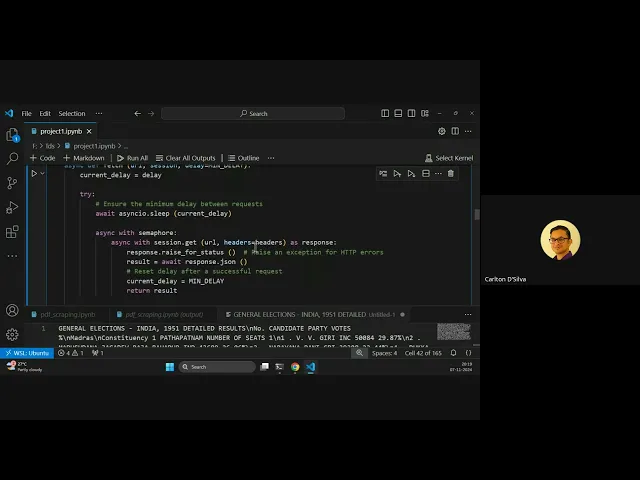
Duration: 2h 14m
Here’s an FAQ-style transcription of the live tutorial:
Q1: How quickly can web scraping be done for data extraction tasks like Project 1?
A1: We managed to scrape approximately 13,500 GitHub repositories in under 30 seconds (specifically, 27 seconds). This speed is achievable by carefully constructing your queries and leveraging asynchronous processing.
Q2: What’s the secret to such fast scraping?
A2: The key is to use asynchronous processing and parallel requests. We used a “semaphore” mechanism that allowed us to send 28 requests simultaneously. Instead of waiting for one request to complete before sending the next, we sent 28 requests in parallel. This significantly reduces the total time required.
Q3: Why 28 parallel requests, not more? What are GitHub’s API limits?
A3: GitHub’s API documentation states you can send 100 simultaneous requests to an endpoint, but there’s a secondary limit of 900 requests per minute. If we sent 100 parallel requests with a 2.5-second delay between each batch (which is what we also applied), that would result in 2400 requests per minute, far exceeding the 900/minute limit and risking an IP ban. By choosing 28 parallel requests with a 2.5-second delay, we stay within the safe limit of approximately 672 requests per minute (28 requests * 60 seconds / 2.5 seconds). This allows us to process many users and their associated repos quickly without hitting rate limits.
Q4: How does the code achieve this speed? Can the code be shared?
A4: The core of the speed comes from the asynchronous fetch_await functions in the Python snippet. This allows multiple requests to run concurrently. We also used a specific strategy: instead of fetching all pages for one user then moving to the next, we fetch the first page of 500 repos for all relevant users in one batch. This combined with asynchronous calls drastically speeds up the process. Yes, we will make the Python async scraping snippet available on Discord.
Q5: What if some requests fail during scraping?
A5: We implemented robust error handling. If a request is not successful, we log the specific URL and the error encountered. This allows us to re-run only the failed requests later, rather than having to re-process all data from scratch, saving significant time and resources.
Q6: Can Project 1 be solved in under 5 minutes without cheating?
A6: Yes, it is possible. The “Check Answers” button in Project 1 provided instant validation results, which was a deliberate “Easter egg” to see if students would discover that the validation was happening on the front-end, meaning the answers were accessible locally.
Q7: How can I access the Project 1 answers if they are on the front-end?
A7: You can use your browser’s developer tools.
- Open the Project 1 page and then open your browser’s developer console (usually F12).
- Go to the “Sources” tab.
- Locate the JavaScript file related to Project 1 (e.g.,
project-1.js). - Scroll to the end of the script, where the validation logic is implemented. You’ll find a line that returns an object containing the expected answers (e.g., around line 211).
- Set a “breakpoint” on that return line. A breakpoint will pause the execution of the JavaScript at that point.
- Click the “Check Answers” button on the project page. The script will pause at your breakpoint.
- In the developer console, you can then inspect the variables. Specifically, add a “watch” to the object that holds the expected answers (e.g., the
expectedobject). - The watch window will display all the correct answers for the project. You can then fill these into the submission form to get full marks.
Q8: Are there any penalties for using JavaScript (or any other method) to scrape data or find answers for ROE 1?
A8: No, there are no penalties. The goal of ROE 1 is to effectively get the answer, regardless of the method used. The “open internet” policy for ROE 1 allows you to use any tools or methods you deem fit, including JS scraping, Python libraries, ChatGPT, or even collaborating with friends.
Q9: What topics should I focus on to prepare for ROE 1?
A9: To prepare for ROE 1, you should focus on:
- Web Scraping: Knowing how to construct correct queries for HTML/XML parsing, and how to handle API calls (e.g., using GitHub/ChatGPT tokens, understanding API limits).
- PDF Data Extraction: Methods to extract data from PDF files, which might not be in a simple tabular format. Libraries like
PDF Plumber(Python) can help extract text and coordinates for programmatic parsing. - Data Cleaning and Aggregation: Once data is extracted (potentially from various sources like databases, HTML, or different files), you need to know how to clean it (e.g., using Pandas DataFrames or Bash commands) and aggregate it into a unified format for analysis.
- Advanced Techniques: Understanding how to use embeddings with tools like ChatGPT for data processing, and handling different data storage formats (like Parquet files, using
pd.read_parquet).
Q10: Can ChatGPT be used to extract data from PDFs? What are the pros and cons?
A10: Yes, ChatGPT can be used.
- Pros: You can feed the raw text extracted from a PDF (even with complex coordinate information) to ChatGPT along with instructions to parse and structure the data (e.g., “extract constituency name, candidate name, party, votes, and provide in JSON format”). ChatGPT can then return clean, formatted JSON data, significantly simplifying the parsing process that would otherwise require complex programming. This is much faster and easier than writing custom parsers.
- Cons: Using ChatGPT’s API incurs costs based on token usage. For a large number of pages or complex extractions, this can become expensive. There’s also a processing time associated with sending requests to ChatGPT and receiving responses.
Q11: How do I handle large datasets or multiple tables from a database in Python (e.g., joining them)?
A11: You can use the sqlite3 module in Python to connect to your database (e.g., students.db).
Connect and Query: Establish a connection and use the cursor to execute SQL queries (e.g.,
SELECT * FROM students).Load into Pandas: Fetch the results (e.g.,
cursor.fetchall()) and load them into a Pandas DataFrame for easier manipulation (pd.DataFrame).Data Cleaning: Use DataFrame methods like
drop_duplicates()to clean your data.Joins (Pandas
merge): To combine data from multiple tables (likestudents,classes, andstudent_classes), you use thepd.merge()function, specifying the tables, the type of join (inner,left,right,outer), and the columns to joinon.- Inner Join: Returns only rows where there’s a match in both tables. If a student has no class, they won’t appear.
- Left Join: Returns all rows from the left table and the matching rows from the right table. If a student has no class, they will still appear, with
NaNfor class information. - Right Join: Returns all rows from the right table and the matching rows from the left table.
- Full Outer Join: Returns all rows when there is a match in one of the tables. This gives you all students (even without classes) and all classes (even without students enrolled).
You can specify the columns you want to select by explicitly listing them in the
pd.merge()function. Pandas makes joins straightforward with flexible options for handling non-matching entries.